TERMOIL

TERMOILA fast terminal that looks your way

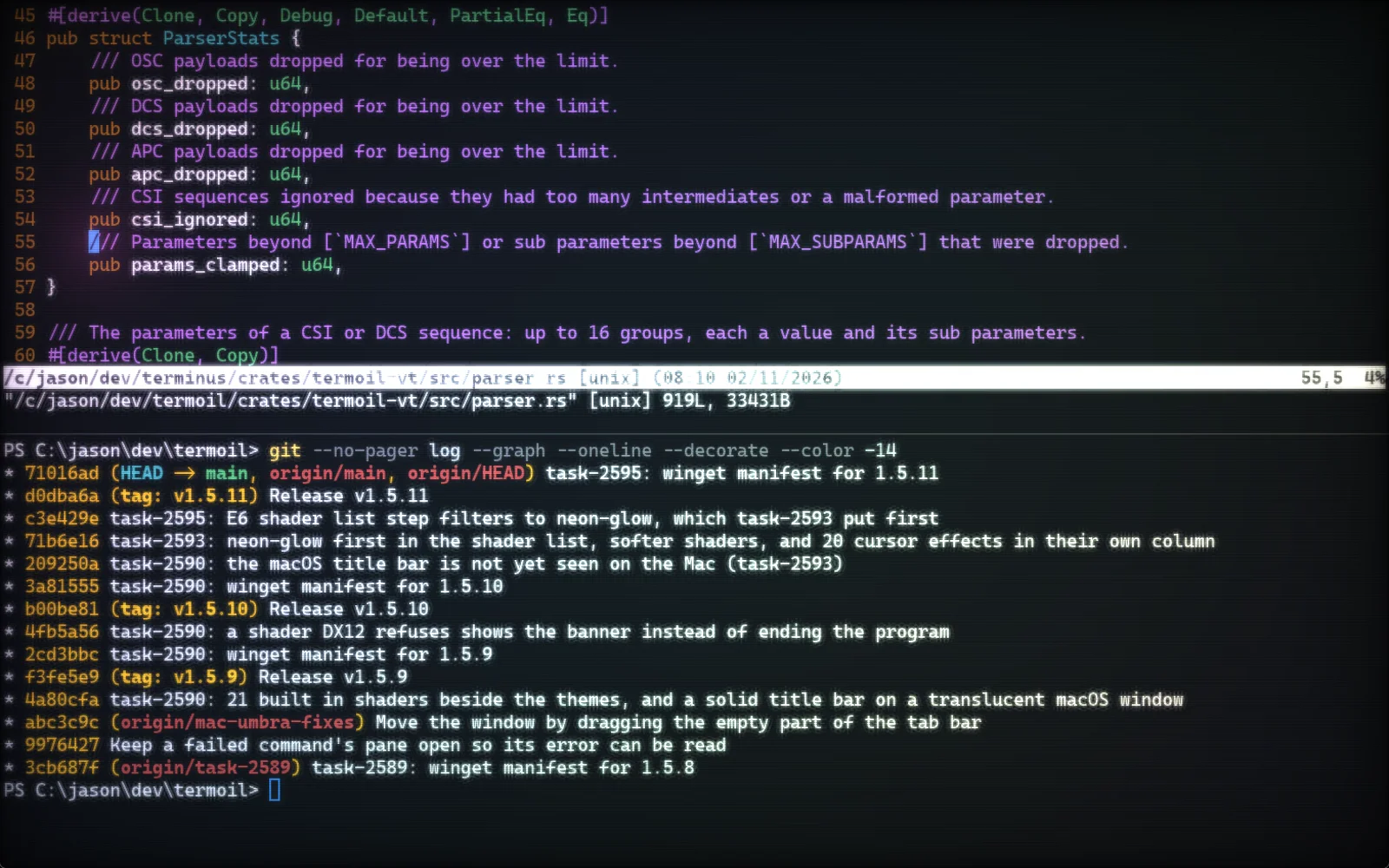
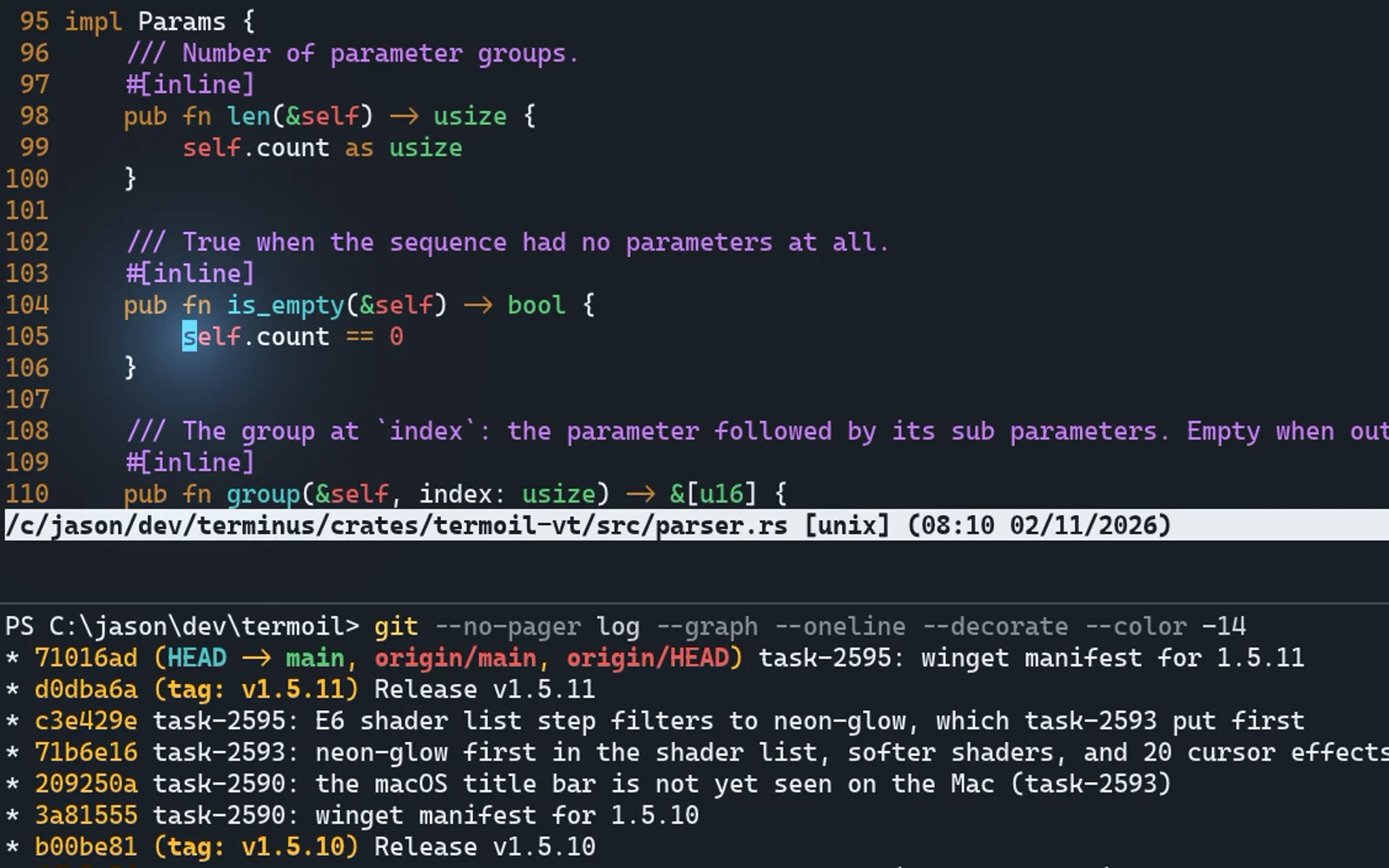
Termoil is a terminal for Windows, macOS and Linux with tabs, splits, pictures, ligatures, 894 themes, 22 shaders and 20 cursor effects. A key press reaches the screen in under 2 ms, an idle window uses 13 MB of memory, and every action it has can be run from the command line or by an AI agent.

13.2 MBwith a window open

1.8 msfrom a key to the screen

894themes, previewed live

Shaders, themesand cursor effects

894 themes, 22 shaders and 20 cursor effects. Any theme works with any shader and any cursor effect.
Synthwave Everything + neon-glow + pulse

Make your terminal glow

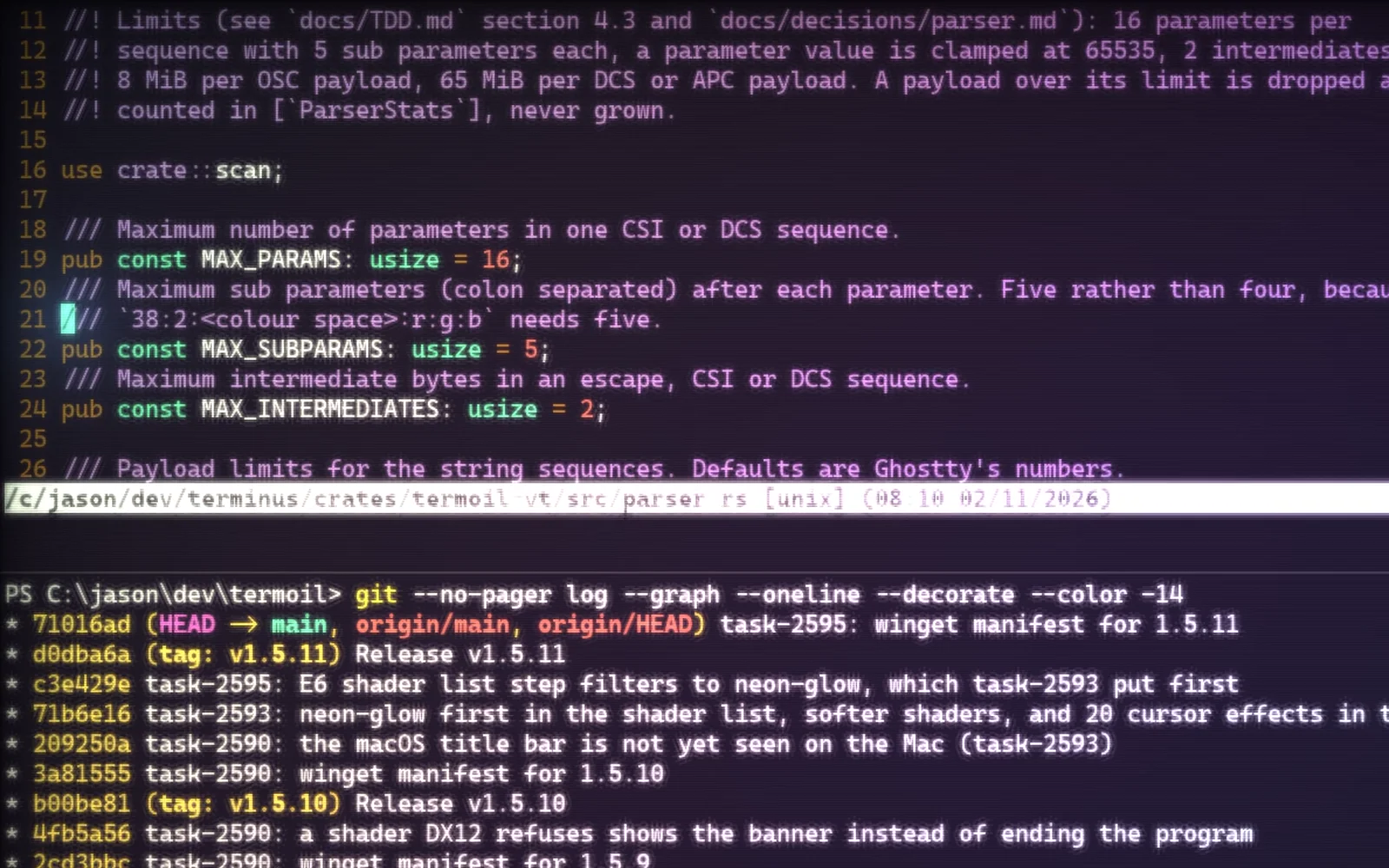
This is the Synthwave Everything theme with the neon-glow shader and the pulse cursor effect. neon-glow makes text bloom, washes the screen from magenta to cyan, and adds soft scanlines and a vignette. The pulse effect follows your cursor wherever it goes.

Three lines in the settings file: theme = "Synthwave Everything", then shader = "neon-glow" and cursor_effect = "pulse" under [window].
The retro shader

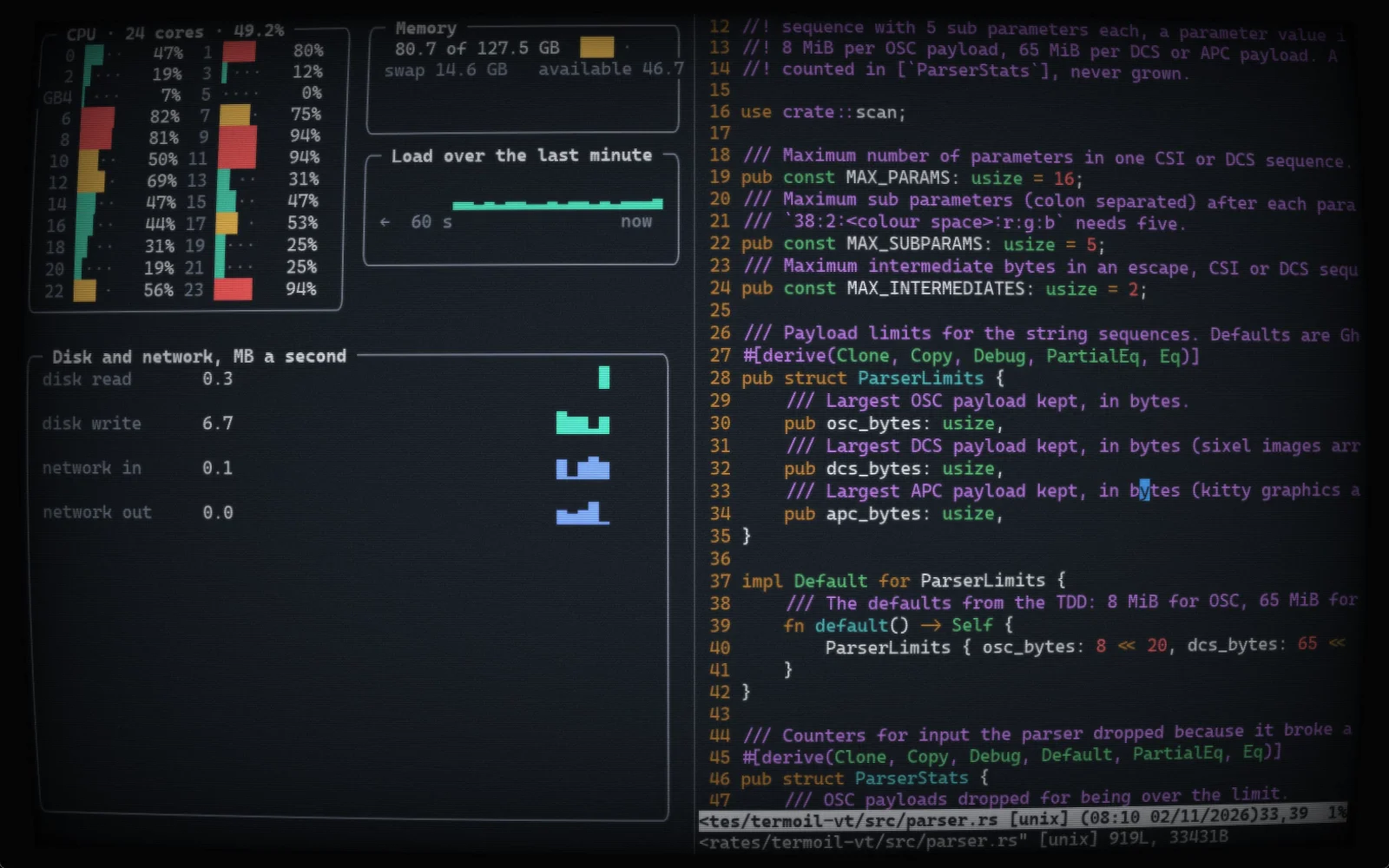
An old monitor, with modern text

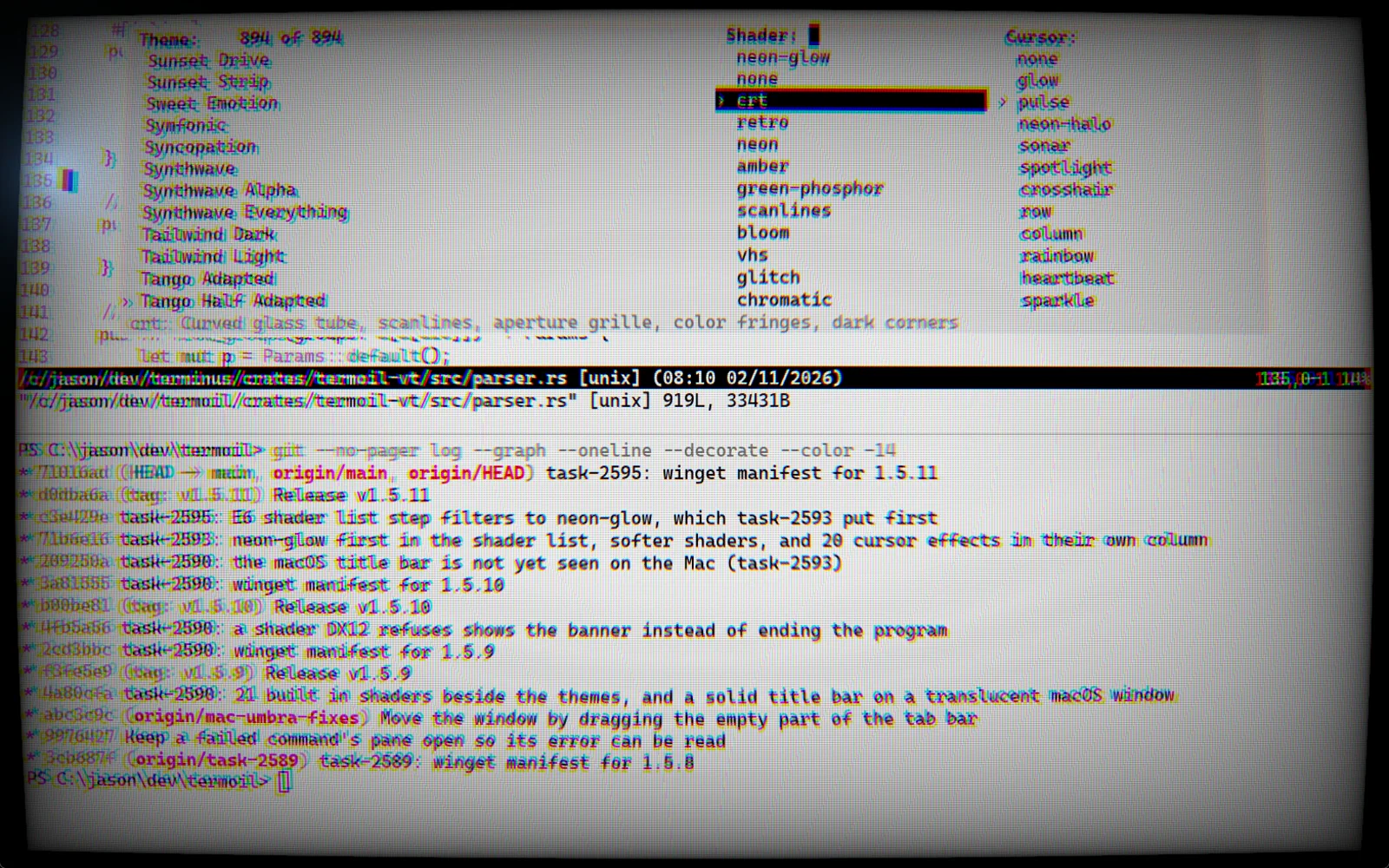
The retro shader draws your terminal on a curved tube with glow, scanlines, noise and a little flicker, in the style of cool-retro-term. Here it is over a live system dashboard and vim, both still sharp enough to read and work in.

crt, amber, green-phosphor and vhs give other kinds of old screen.

20 cursor effects

A cursor you never lose

A cursor effect draws light or a distortion around the cursor: a pulse, sonar rings, a ripple, a rainbow, a flame, orbiting dots, sparkles, a magnifying glass and more. It runs on top of any shader, or on its own.

termoil +set-cursor-effect sonar sets one, and none turns it off.

The theme picker

See it on your own work before you choose

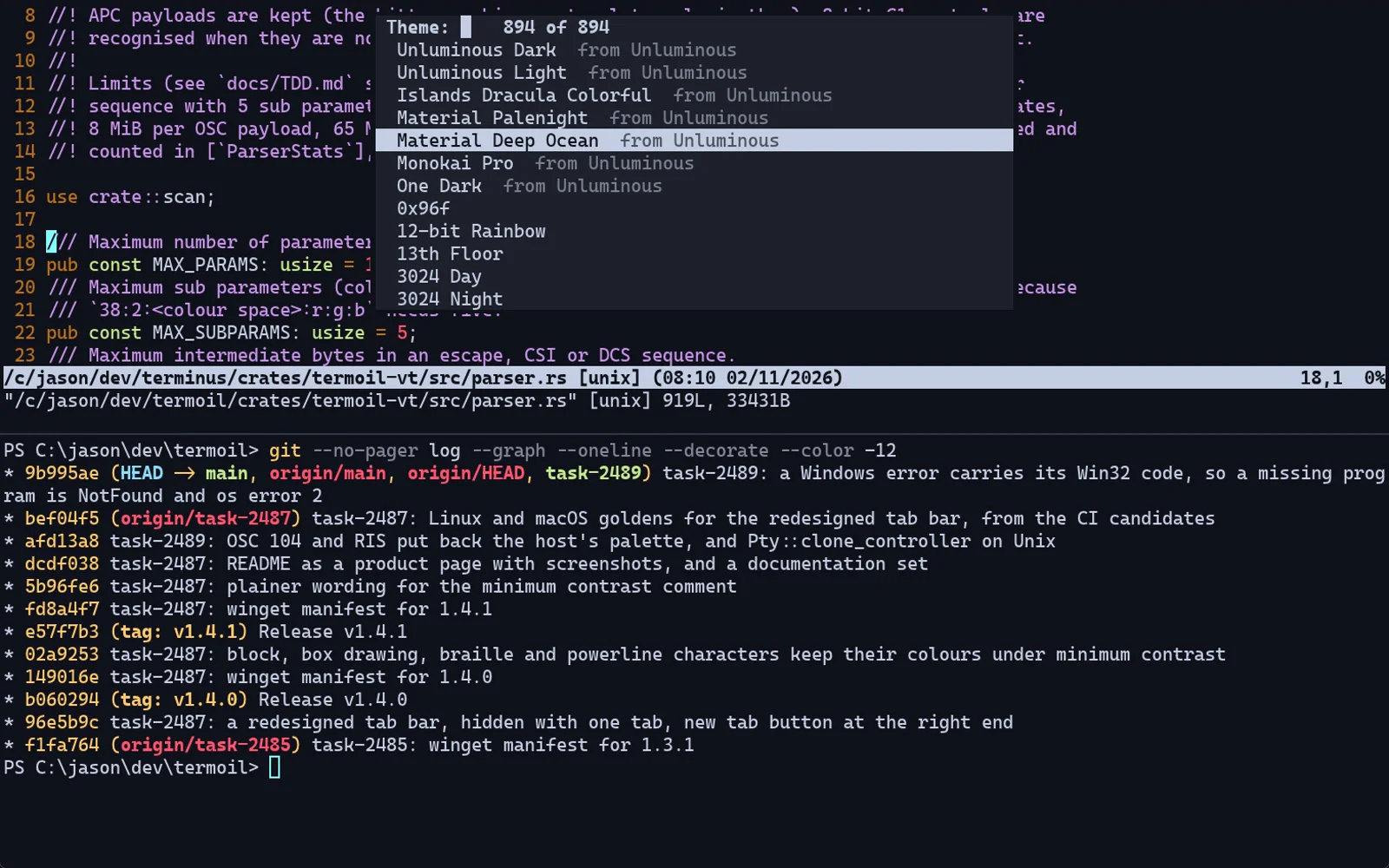
The theme picker has three lists side by side: themes, shaders and cursor effects. Each one is applied to your terminal as you move to it, so you judge it on your own code. Enter keeps all three, and Escape puts back what you had.

Open it from the command palette with choose-theme. Typing filters the list you are in.

Every built in shader

  • neon-glow
  • crt
  • retro
  • neon
  • amber
  • green-phosphor
  • scanlines
  • bloom
  • vhs
  • glitch
  • chromatic
  • vignette
  • film-grain
  • tft
  • game-boy
  • sepia
  • noir
  • hologram
  • synthwave
  • underwater
  • cursor-glow
  • blueprint
Speed

Light on memory,light on your processor

Measured against Ghostty for Windows on the same machine, in the same size of window, with each terminal on its default settings. An idle Termoil window does no work at all unless you choose a moving shader, and the window draws on the processor until a shader asks for the graphics card.

Memory with one window open, against 207.9 MB for Ghostty13.2 MB
Processor time to print 100 MB of output, against 89.8 s for Ghostty15.5 s
Program output read and drawn, 14% faster than Ghostty 1.4267 MB/s
A key press to the frame that shows it, at the median1.8 ms
A new window to its first prompt79 ms
A million lines of scrollback143 MB
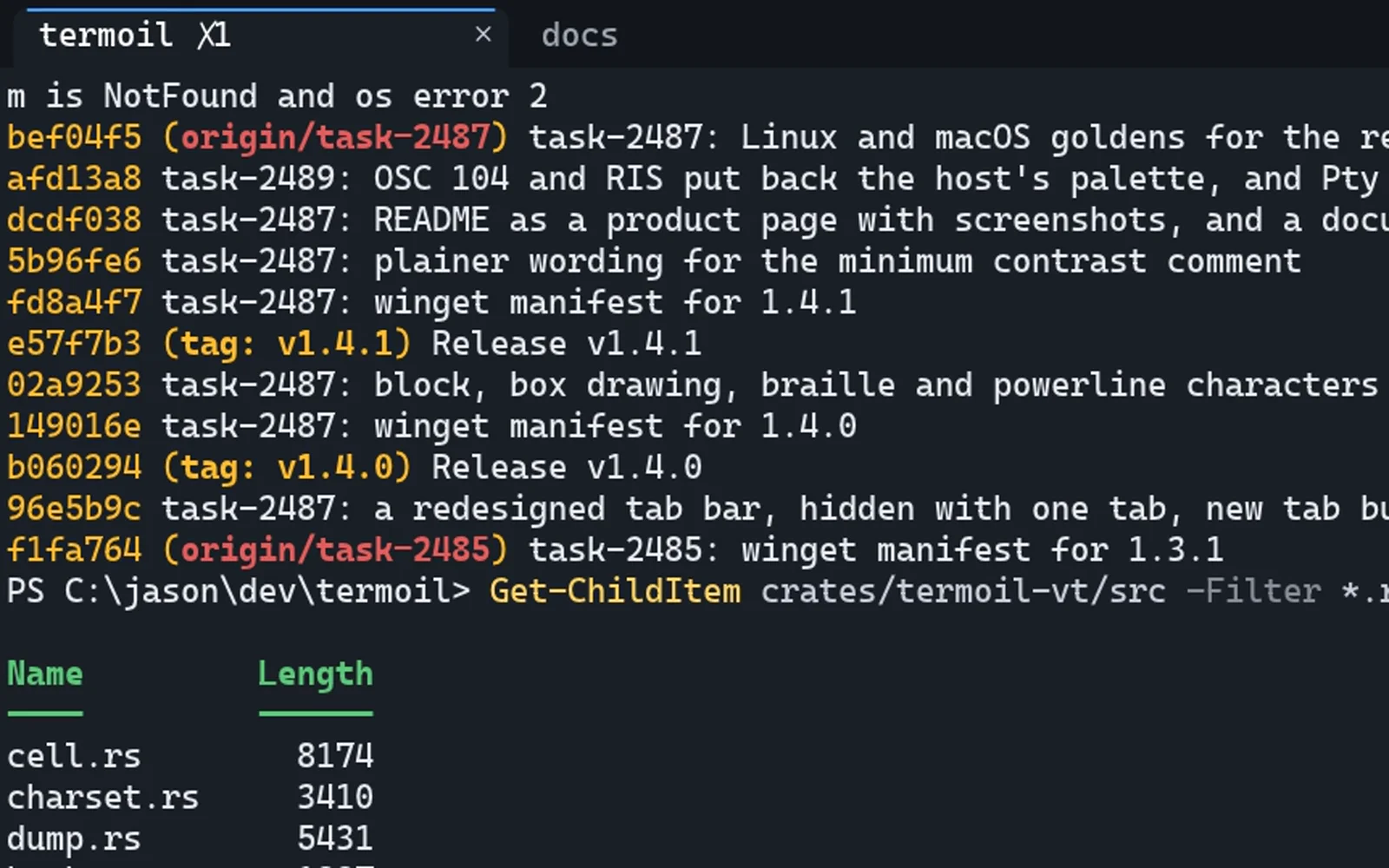
01 Tabs and splitsNo multiplexer to install

Tabs and splits,built in

Open as many tabs as you like and split any of them into panes, side by side or one above the other, nested as deep as you want. PowerShell, WSL and cmd sit in tabs next to each other. Drag a divider or use the keyboard to resize, and zoom one pane to fill its tab.

The tab bar stays out of the way.

It appears when you open a second tab and goes away when you close back down to one.

Every shell on the machine.

PowerShell 7, Windows PowerShell, cmd, WSL, bash, zsh, fish and nushell.

Keys you already know.

Ctrl+Shift+T opens a tab, Ctrl+Shift+D splits right, Ctrl+Shift+E splits down and Alt+Arrow moves between panes.

Zoom a pane.

One pane fills the tab, and the same key puts the split back.

02 Pictureskitty graphics • sixel • iTerm2 inline images

Real picturesin the terminal

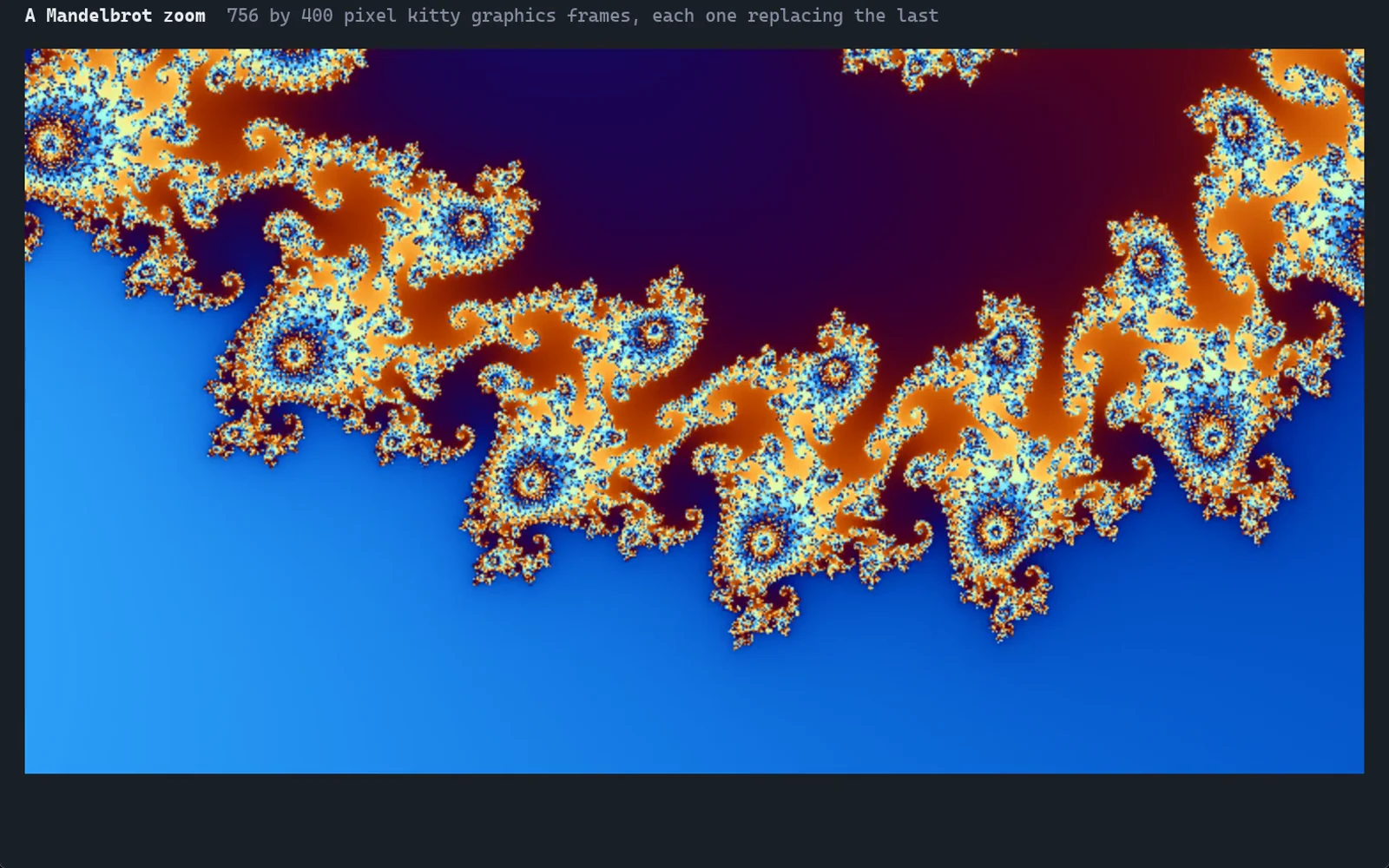
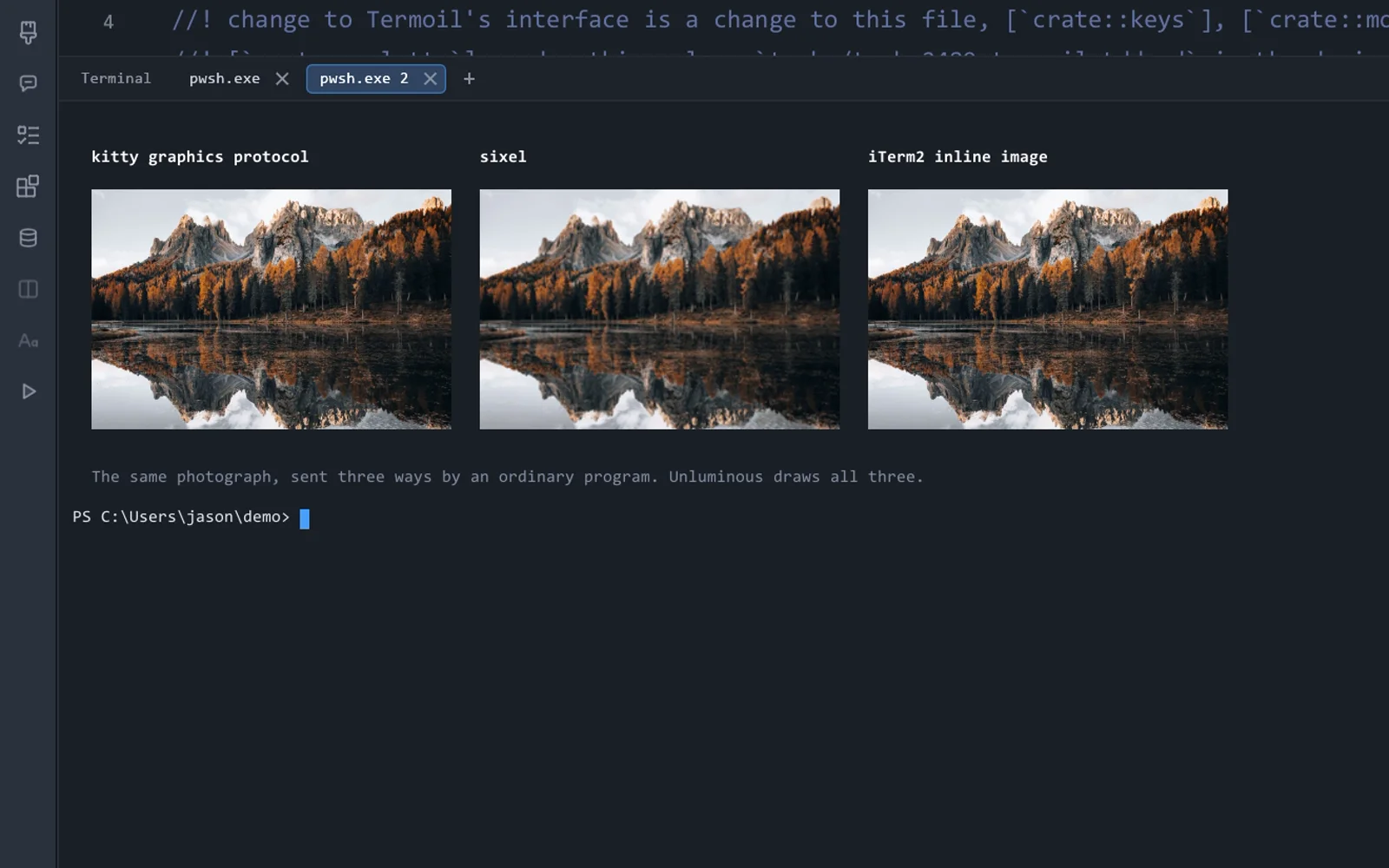
Programs can draw images in Termoil through the kitty graphics protocol, sixel or iTerm2 inline images, and animated kitty images play. On Windows, Termoil ships its own copy of the console host, because the one built into Windows removes these pictures before they reach the terminal.

Three protocols.

The kitty graphics protocol, sixel and iTerm2 inline images, so the image previews in your tools work.

Animation.

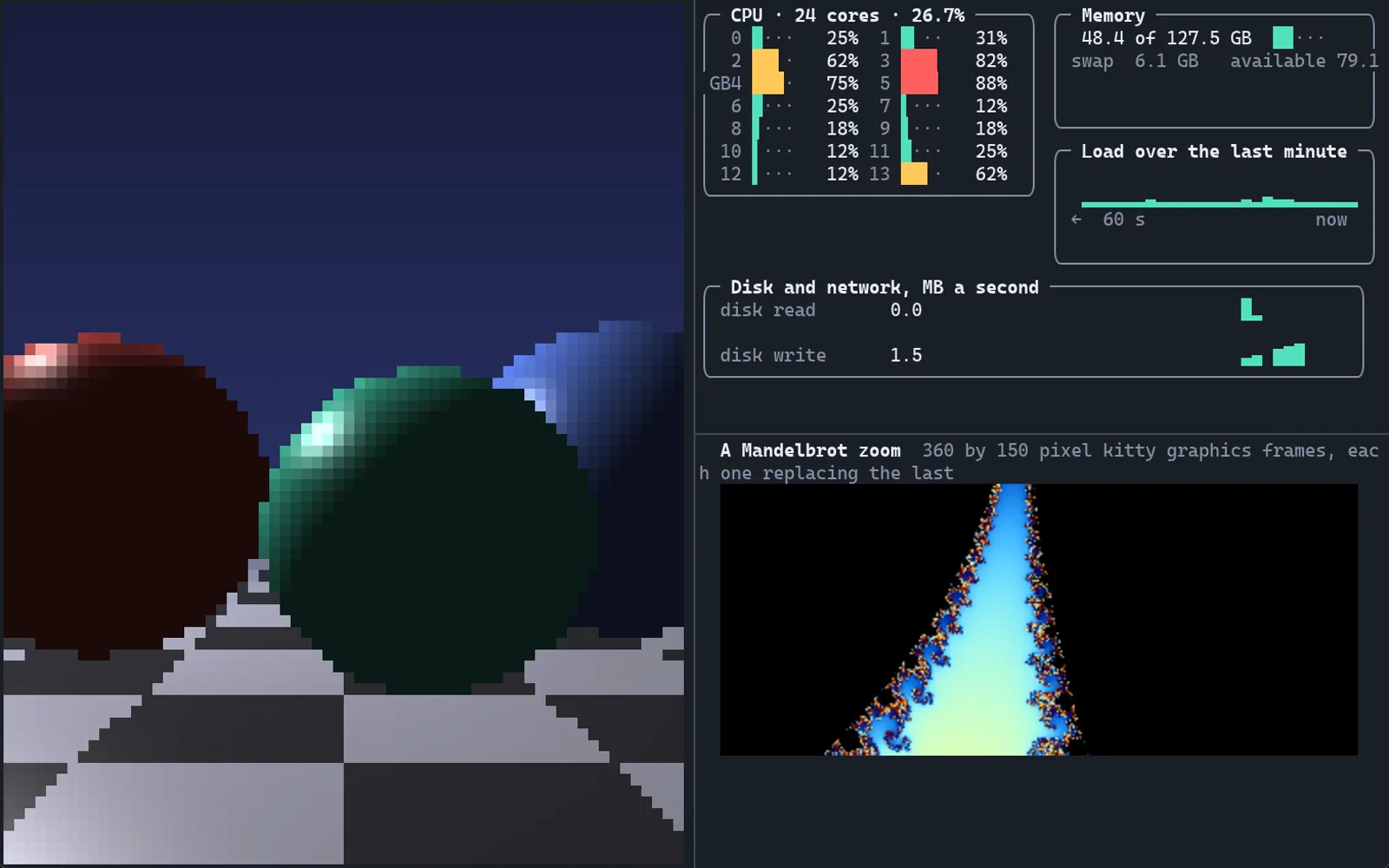
A program that replaces its kitty image many times a second gets a moving picture. The zoom here runs at about 20 frames a second.

On Windows too.

The console host built into Windows removes these pictures. Termoil ships its own copy, which passes them through.

Fixed limits.

Every buffer Termoil keeps, pictures included, has a fixed limit, so a stream of output cannot make it use unbounded memory.

03 Color and text24 bit color • ligatures • emoji • Unicode 17

Every colorand every language

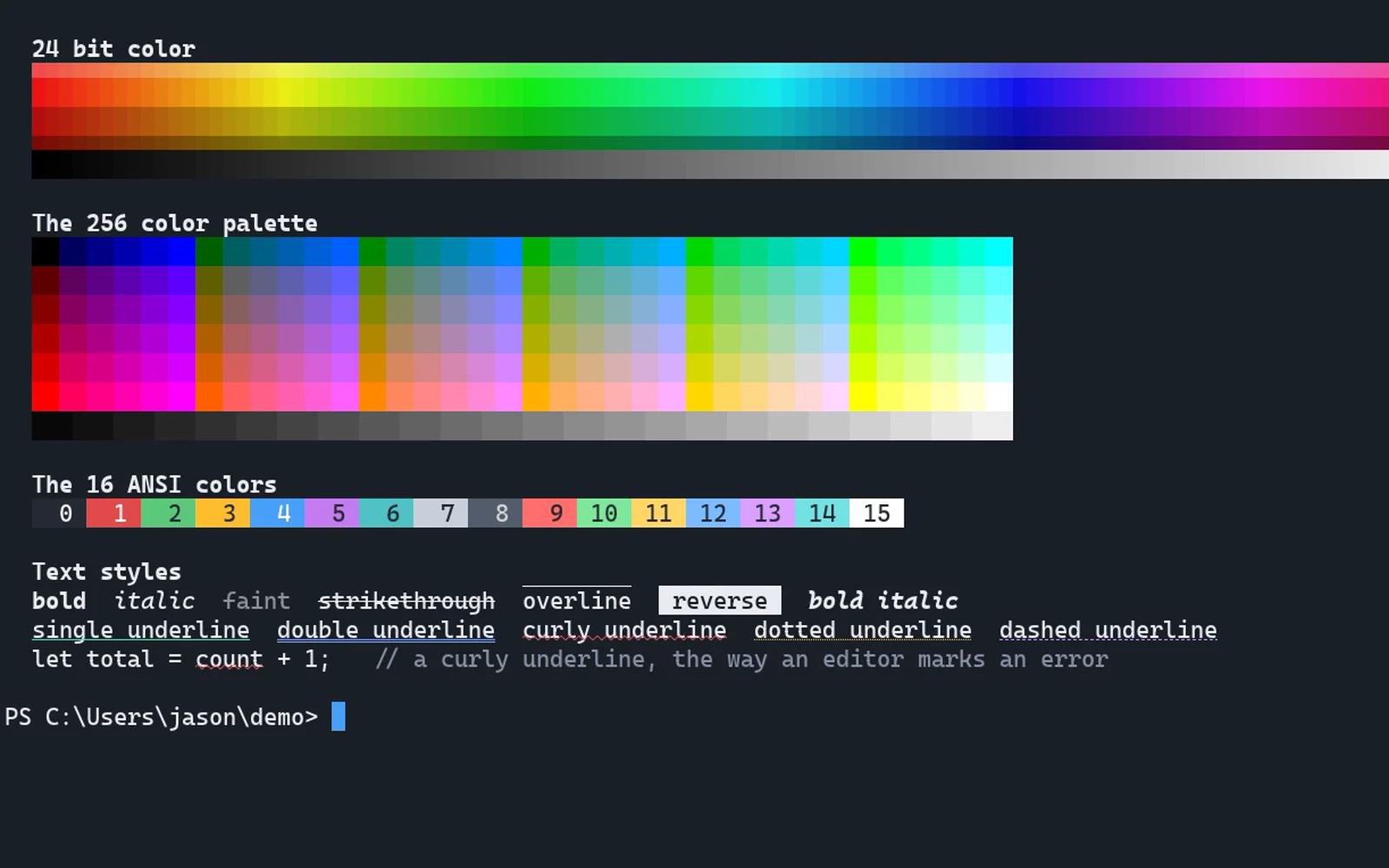
24 bit color, the 256 color palette, bold, italic, faint, strikethrough, overline and five kinds of underline in any color. Emoji, wide Chinese, Japanese and Korean text, combining accents and programming ligatures. Box drawing, block and braille characters are drawn by Termoil itself, so they join cleanly at any font size.

Five underlines.

Single, double, curly, dotted and dashed, each in its own color, the way editors mark spelling and compiler errors.

Text widths from Unicode 17.

Joined emoji such as families and flags take the width they should, and a missing character falls back to another installed font.

Half blocks drawn exactly.

Programs that draw pictures out of colored half blocks, such as btop and chafa, get exactly the colors they send.

Readable by default.

Text that falls below a contrast ratio of 4.5 against its background is lifted, so dim text stays readable on any theme.

04 Command palette and settings65 actions • one TOML file

Every action,one key away

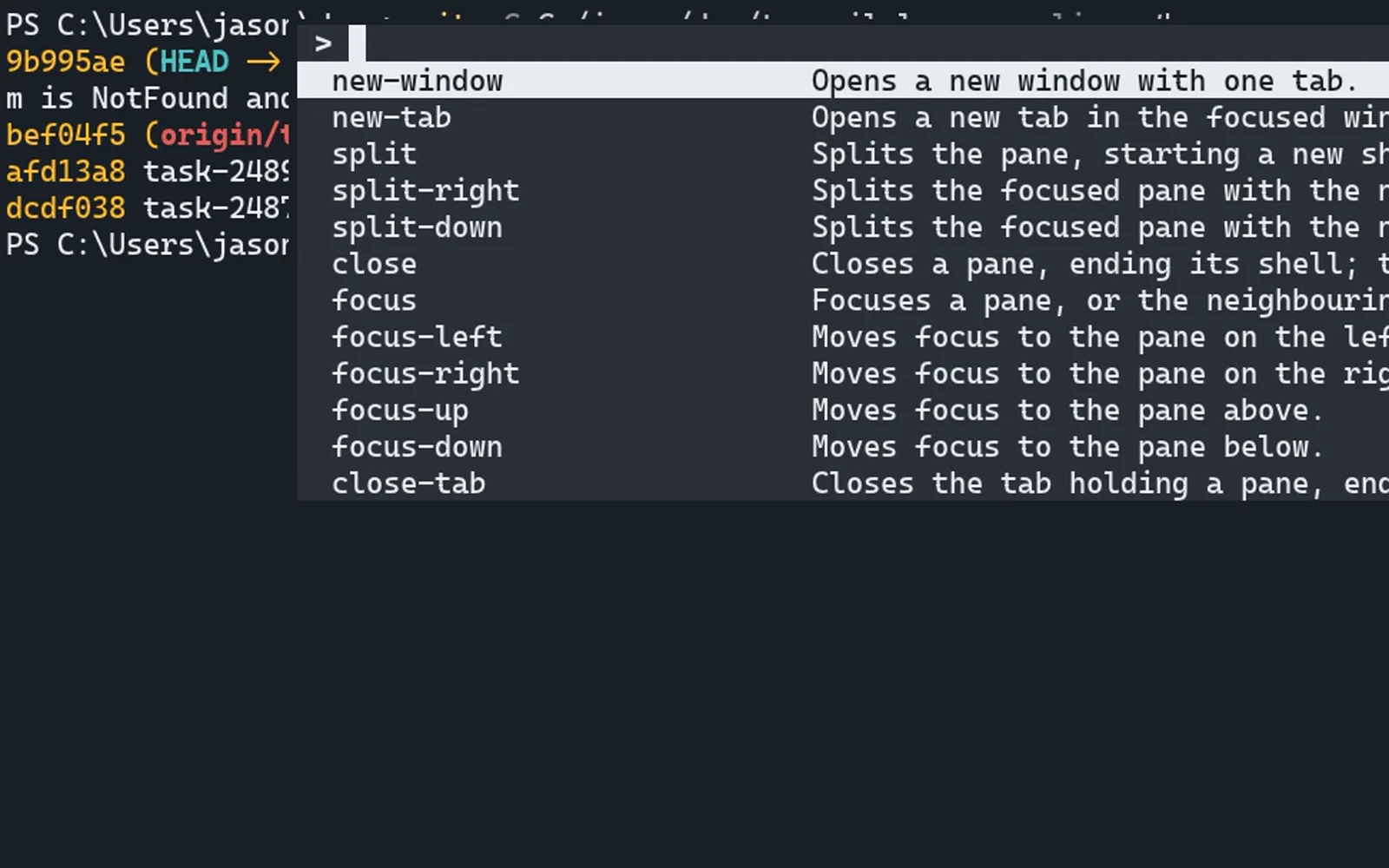
`Ctrl+Shift+P` opens a list of every action Termoil has, with the key bound to each one. Type a few letters and press Enter. Settings live in one plain TOML file that Termoil reads again a moment after you save it, and `Ctrl+,` opens every setting inside the window.

Nothing to memorize.

A key you rarely use is a few letters in the palette away.

Your own keys.

Bind any action to any chord, and group bindings into key tables.

Light and dark.

Termoil can follow the system setting, with a theme for each.

One function behind it all.

The palette, the keyboard, the command line and the MCP server all run actions through the same function.

The detailsthat make it nice to live in

Its own parser, screen, font rasterizer and renderer, so every one of these is drawn exactly.
Shell integration

It knows where your commands are

Termoil loads a script into PowerShell, bash, zsh, fish, nushell and cmd that marks every prompt and command. Jump between prompts, select the output of the last command, and see a failed command’s exit code in its tab.

Nothing to install: the script is loaded into each shell Termoil opens.

Redraw speed

Programs that redraw the whole screen

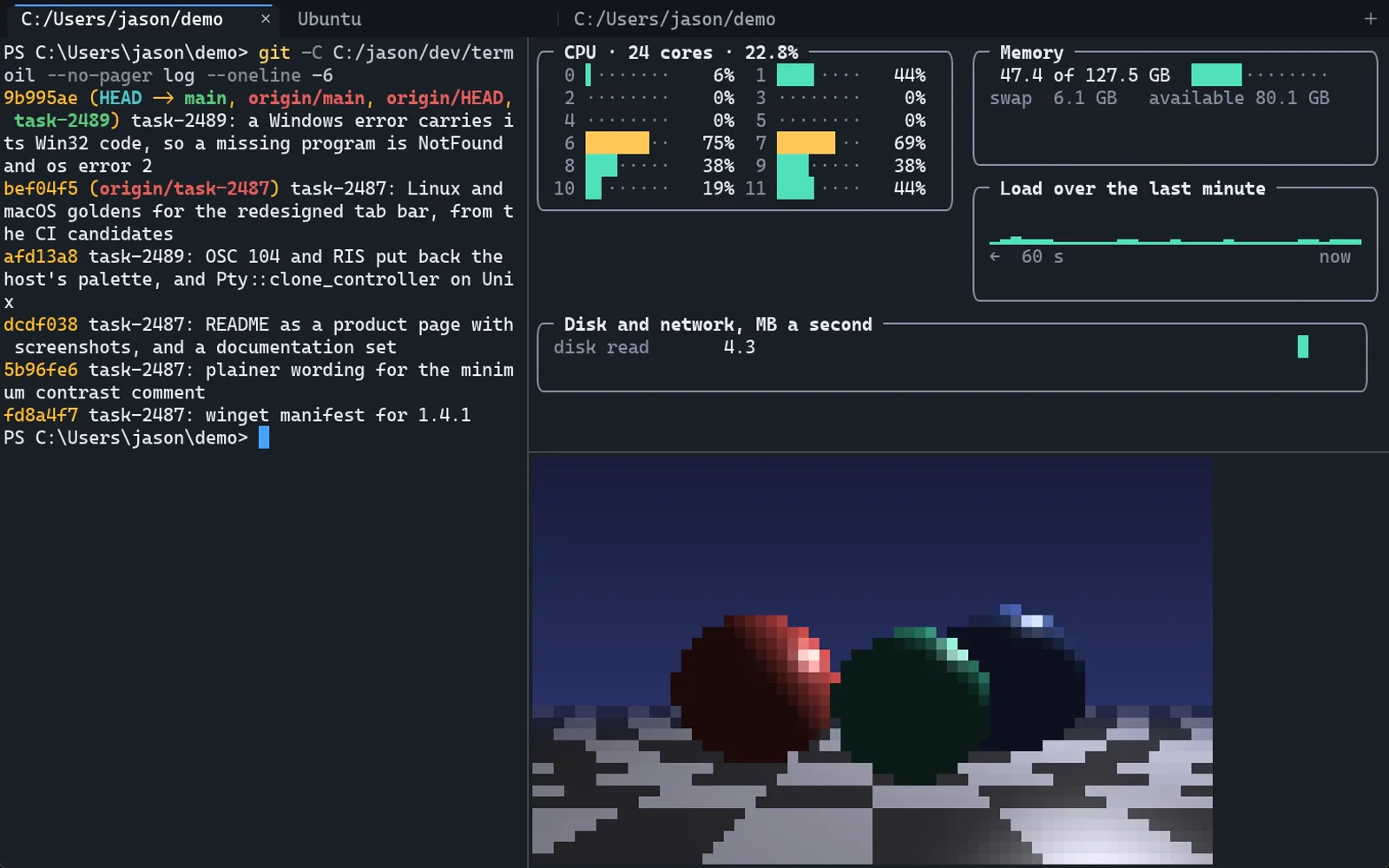
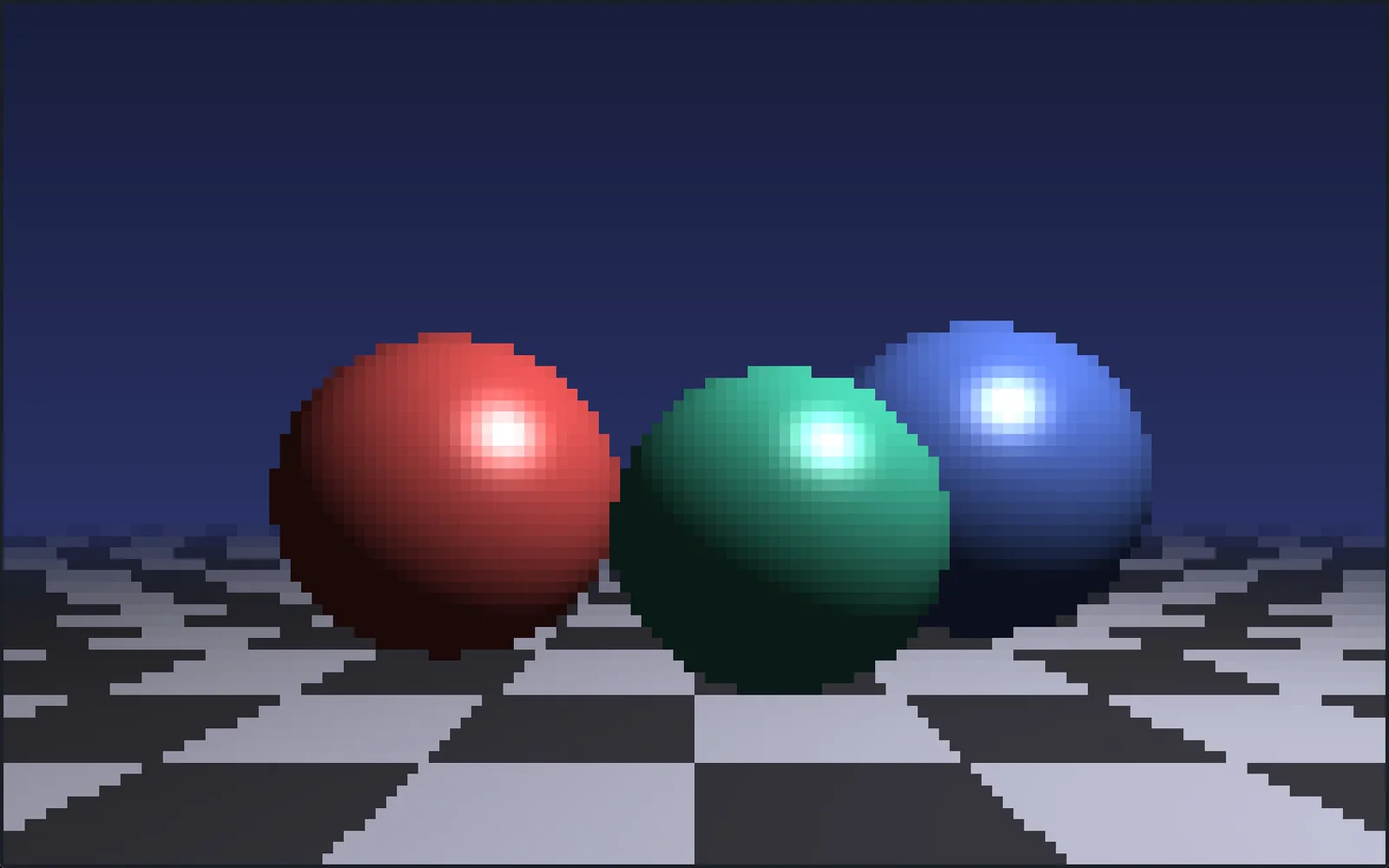
A raytraced scene drawn as colored half blocks, every cell repainted as fast as a Python program can send it. A frame takes under 5 ms to draw at the 99th percentile.

A key press reaches the screen in under 2 ms at the median and under 5 ms at the 99th percentile.

For AI agents

Your agent can drivethe terminal too

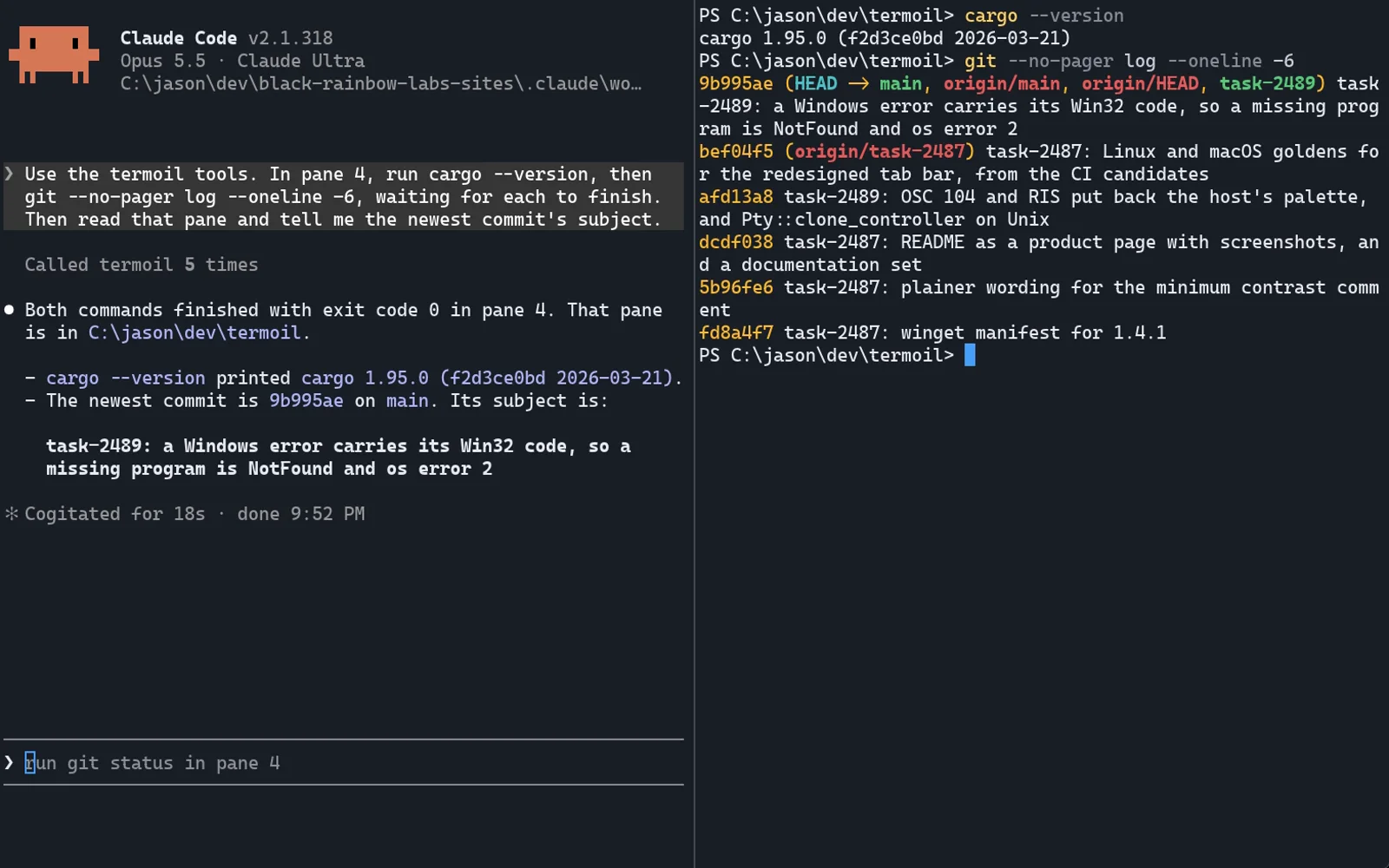
Every action in Termoil is a row in one catalogue, and the keyboard, the command palette, the command line and the MCP server all run actions through the same function. An agent can open a tab, type into it, wait for the command to finish and read the screen, while you watch the same tab and take over at any point.

From a script or an agent

termoil +new-tab --name build
termoil +send-text --text "cargo build --release"
termoil +send-key --key enter
termoil +wait-prompt --timeout 600   # waits, then gives the exit code
termoil +screen                      # the text on screen

Connect Claude Code or Codex

claude mcp add termoil -- termoil +mcp
codex mcp add termoil -- termoil +mcp

Any other agent

{
  "mcpServers": {
    "termoil": { "command": "termoil", "args": ["+mcp"] }
  }
}

65 actions, 30 MCP tools.

The tool list and the command reference are generated from the catalogue, and a test fails if either drifts from it.

It knows when a command ends.

wait-prompt reads the prompt marks shell integration adds, and returns the exit code.

No network port.

The command line and the MCP server talk to Termoil over a named pipe or socket only your user can open.

A separate instance.

termoil-gui --separate gives an agent or a test a Termoil of its own, apart from your windows.

Termoil in Unluminous

Every terminal in Unluminousruns on Termoil

From Unluminous 1.24, the terminal tile, the run tile, the debug console, a terminal on a Realm canvas and the terminal each Agent Tasks ticket starts its agent in all run on Termoil: its parser and screen, its pseudoterminal and its key encoding. Unluminous draws the cells itself, in its own theme and zoom.

From 1.25 it draws everything Termoil’s parser knows about each cell: pictures sent through the kitty graphics protocol, sixel or iTerm2 inline images, color emoji, overline and five underline styles in their own color, accents centered over their letter, and box drawing, block and braille characters drawn to fill the cell.

So Claude Code and Codex get every key they ask for, including Shift+Enter for a new line, and each terminal reads its program’s output on a thread of its own, never on the window’s.

See Unluminous

The same parser.

It reads program output 226% faster than the alacritty_terminal core Unluminous used before.

Every key, encoded properly.

The kitty keyboard protocol with all five of its flags, so Shift+Enter reaches Claude Code as its own key.

Links and prompts.

A link a program prints is underlined under the pointer and opens with Ctrl or Cmd and a click. Ctrl+Shift+Up and Down, Cmd+Up and Down on a Mac, jump between prompts.

A whole process tree.

Closing a terminal ends every program it started, through a job object on Windows.

Side by side

Termoil and Ghostty,the same program at the same moment

Termoil 1.3.1 and Ghostty 1.4.0 running the same demos at once: color, text styles, emoji, pictures, a TUI editor, a raytraced scene, a Mandelbrot zoom, a dashboard and a flood of build output. Then the measured numbers, then what Termoil adds.

Install

Install Termoil

Have your agent install it by giving it these instructions

Paste them into Claude Code, Codex, OpenCode or any agent that can fetch a page and run a command. It installs Termoil for your system, checks it, and connects itself to Termoil’s MCP server.

Install Termoil on this machine and connect yourself to it. Termoil is a terminal, and every action it has can be run from its command line or through its MCP server. The full instructions are at https://unluminous.com/termoil/install.md. In short:

1. Read https://unluminous.com/termoil/latest.json. It has the address, size and SHA-256 of the file for each system.
2. Download the file for my system and check that its SHA-256 matches.
3. Windows: run the installer with /VERYSILENT /SUPPRESSMSGBOXES /CURRENTUSER. It needs no administrator rights and puts termoil on my PATH.
   macOS: mount the .dmg, copy Termoil.app to /Applications, and use /Applications/Termoil.app/Contents/MacOS/termoil as the command.
   Debian or Ubuntu: sudo apt install ./<the .deb file>. Other Linux: put the .AppImage in ~/.local/bin as termoil and make it executable.
4. Run termoil +version and check that it prints the version from latest.json.
5. Add Termoil's MCP server to your own settings: the command is termoil (or the full path above) with the argument +mcp. For Claude Code that is claude mcp add --scope user termoil -- termoil +mcp, and for Codex codex mcp add termoil -- termoil +mcp.
6. Tell me the version you installed, where it is, and that I need to restart you to see the termoil tools. The tools act on a running Termoil, so I should open one first.

Manual install

The Windows build is the one tested most. The Linux packages are tested under WSL, and the macOS build is cross compiled on Windows, signed with an Apple Developer ID and notarized by Apple, and has not yet been run on a Mac.

These are the stable downloads. The newest nightly is Termoil 1.5.12, released 2026-11-11. Set updates.channel = "nightly" in Termoil to be offered every nightly.

Build it yourself

git clone https://github.com/Black-Rainbow-Labs/Termoil
cd Termoil
cargo build --release -p termoil-app -p termoil-cli

Star Termoil on GitHub

Termoil is free and open source. A star on GitHub helps other people find it.

Star on GitHub