

Black Rainbow LabsUnluminous IDE

Unluminous

A code editor written in Rust that takes light out of its own window so your desktop shows through, and gives an AI agent every single thing it gives you.

Windows and macOS · MIT or Apache-2.0 · no telemetry, no account, nothing fetched

A triangular prism of optical glass with a single blade of light passing through it
584msto a window on the screen, measured over seven runs
168commandsacross 21 areas, each one reachable by an agent
187klines of Rust279 files, seven crates, one command-line client
1440tests957 unit and 483 screenshot, in the window crate alone
380740 nm through a 56° prism of dense flint glass, spread over 6.77° of deviation. The dark lines are Fraunhofer’s, at the wavelengths calcium, hydrogen, magnesium, iron, sodium and atmospheric oxygen absorb. He counted 574 of them in sunlight in 1814 without knowing what any of them were.
01Through

The window is not opaque, and that is the whole point of the name

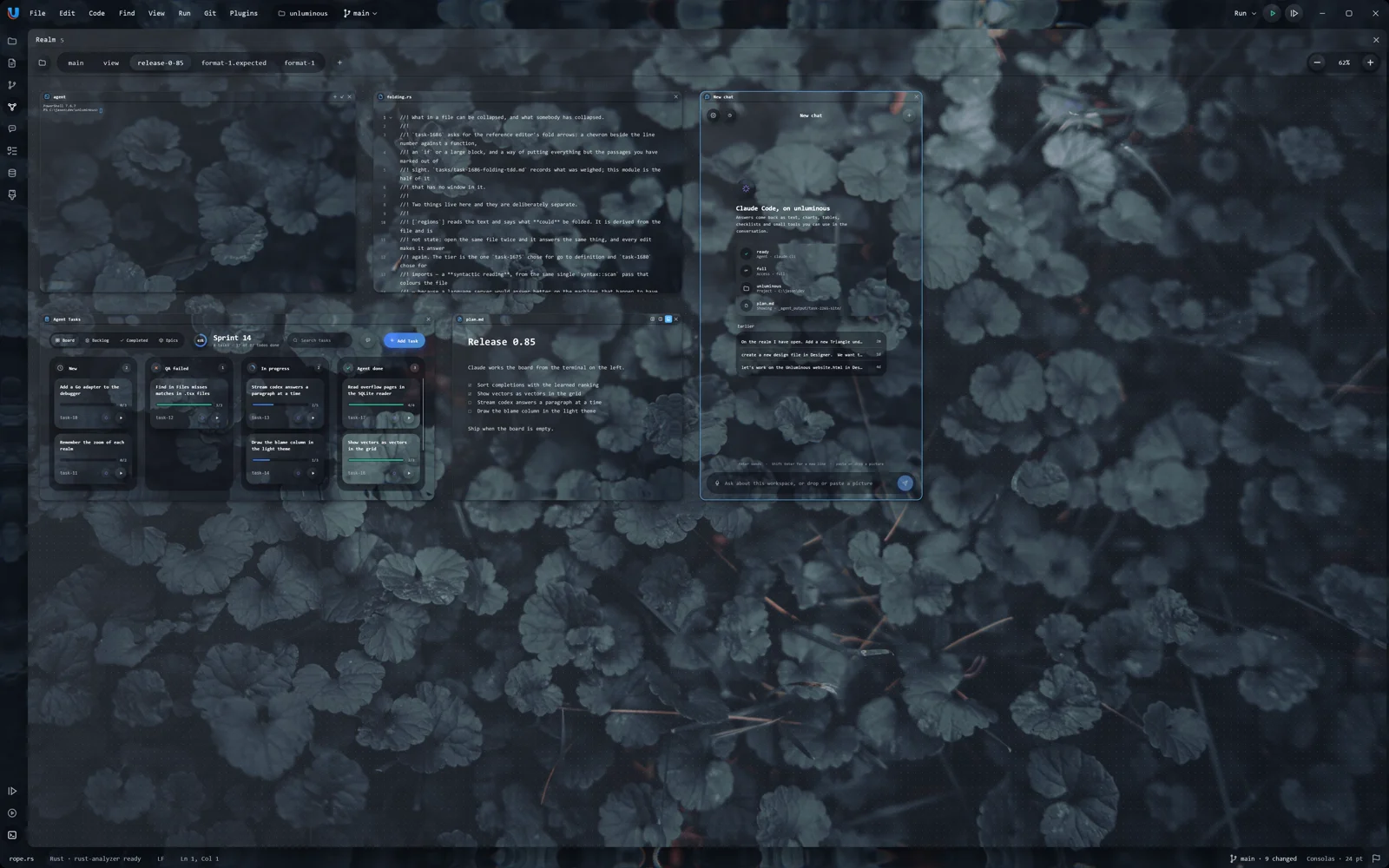
Unluminous draws its text solid and lets everything behind the window through. Not a blur, not a tint over a screenshot — the real desktop, composited by the desktop, at whatever opacity you set.

It is one setting, Appearance → Background, and it works on both platforms. On macOS that is nearly free. On Windows it took three things: wgpu had to be told to use DX12, because left to choose it picked Vulkan, whose surface offers no transparent composite mode; the swapchain had to be built from a DirectComposition visual, because one built from a plain window handle can only be Opaque; and the window’s redirection surface — the GDI bitmap the desktop window manager composites from — has to be filled with black once a frame, because winit asks the manager to honour its alpha and never clears it, so it holds undefined bytes that read as opaque white.

Without the last of those the window really does fade — towards white, rather than towards the desktop.

services/windows_transparency.rs

The Unluminous window at 35 per cent background opacity, with the desktop wallpaper visible through it
0.35

Every frame below is a real capture of the running window at that setting, taken by starting it with unluminous --opacity N over the same wallpaper. Drag the control.

02Parity

Everything you can reach, an agent can reach — and that is a test, not a promise

Every piece of functionality a person can reach, an agent can reach, through the same command, and both are covered by automated tests.

Not a plugin bolted on, and not a subset of the interesting parts. Ctrl+Shift+O and unluminous_modal open go-to-file are one feature. A breakpoint set by clicking the gutter and one set by unluminous_debug breakpoint add are the same breakpoint.

  1. A menu entry needs nothing at all

    unluminous-cli action list is built by walking the real menus, so an entry added tomorrow can be run from the command line, and by an agent, tomorrow. A test in app/action_names.rs fails the day a menu entry has no name.

  2. Anything without a menu entry is a row in one list

    unluminous-cli/src/catalogue.rs — 168 commands across 21 areas — is what the client parses against and what the window dispatches on. UnluminousApp::run_cli is to that list what run_action is to the menus: the one place a command becomes a change, down the same path a click takes.

  3. The agent tools are generated from that list

    A command added to Unluminous is a tool the day it is added, and every_command_is_offered_as_a_tool_in_both_shapes fails if one ever is not. Nothing is written out by hand, so there is no second list to fall behind.

  4. The documentation is a test too

    unluminous-cli/src/documentation.rs fails while a command has no section in docs/commands.md, while a usage line is out of date, or while a section describes a command that no longer exists.

A board of tickets, in the editor — a capture of the running Unluminous window

A board of tickets, in the editor

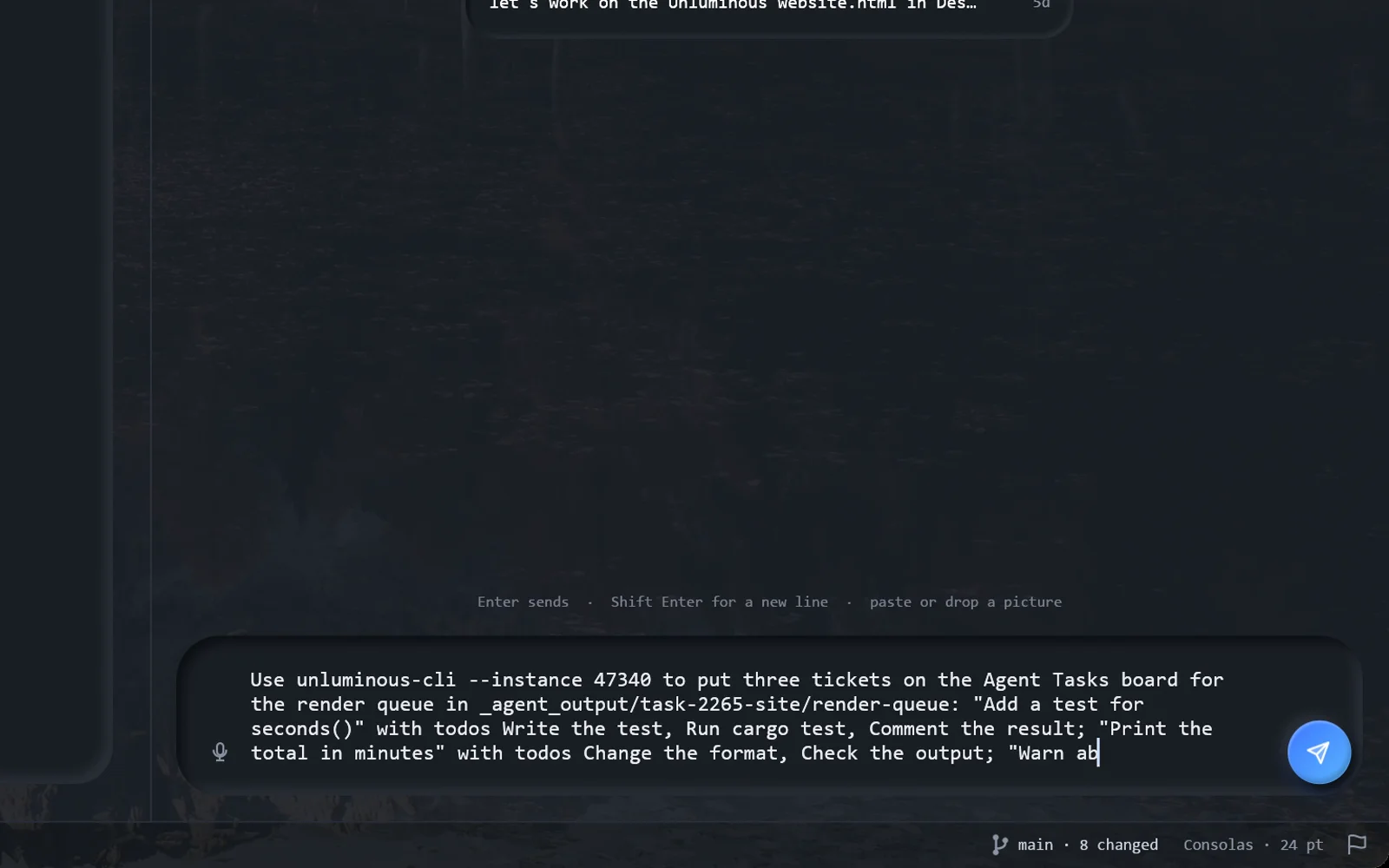
The Agent-Tasks plugin: a ticket has an agent, a model and a terminal of its own, and starting one opens that terminal inside this window rather than beside it.

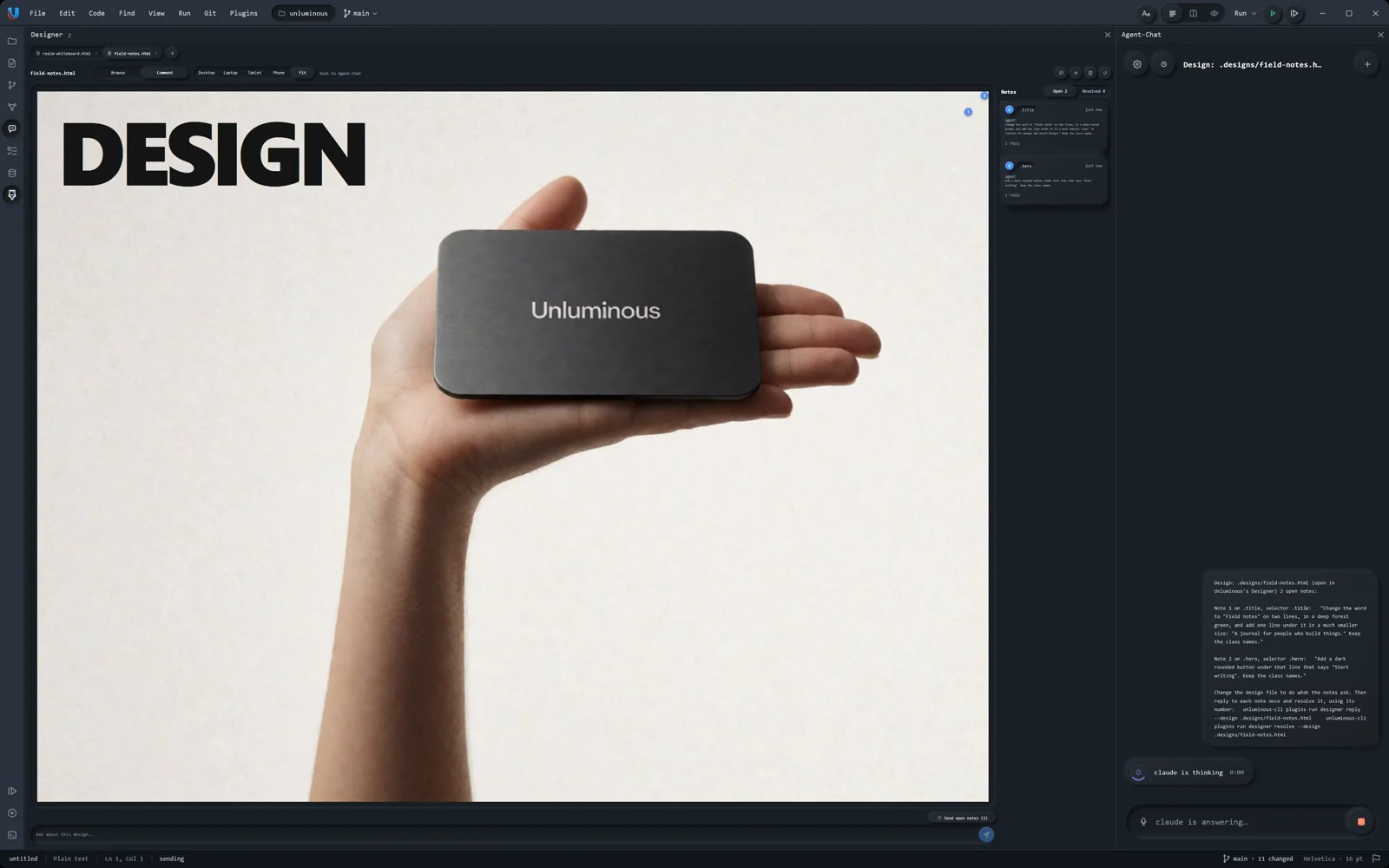
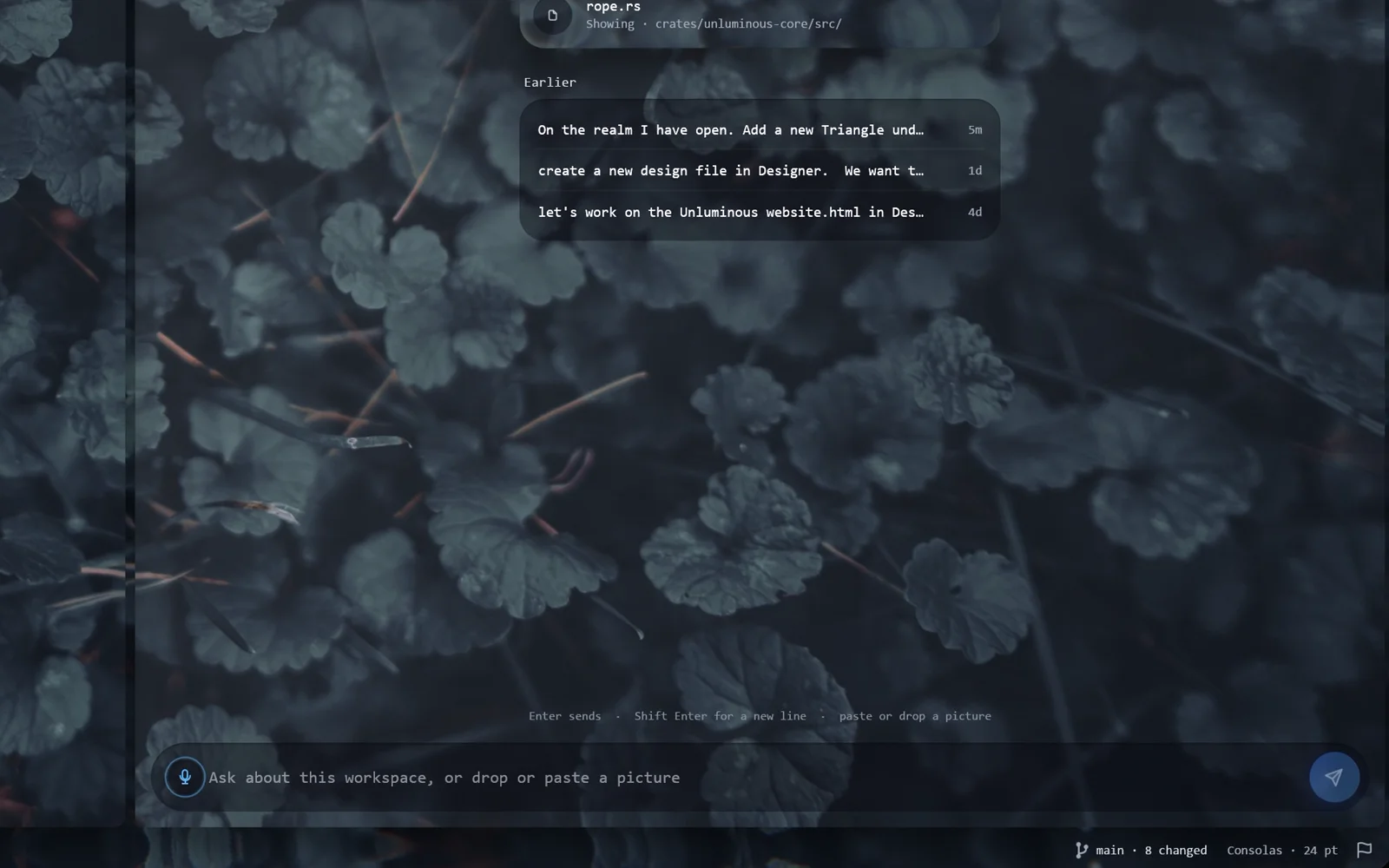
An agent beside the work, not in another window — a capture of the running Unluminous window

An agent beside the work, not in another window

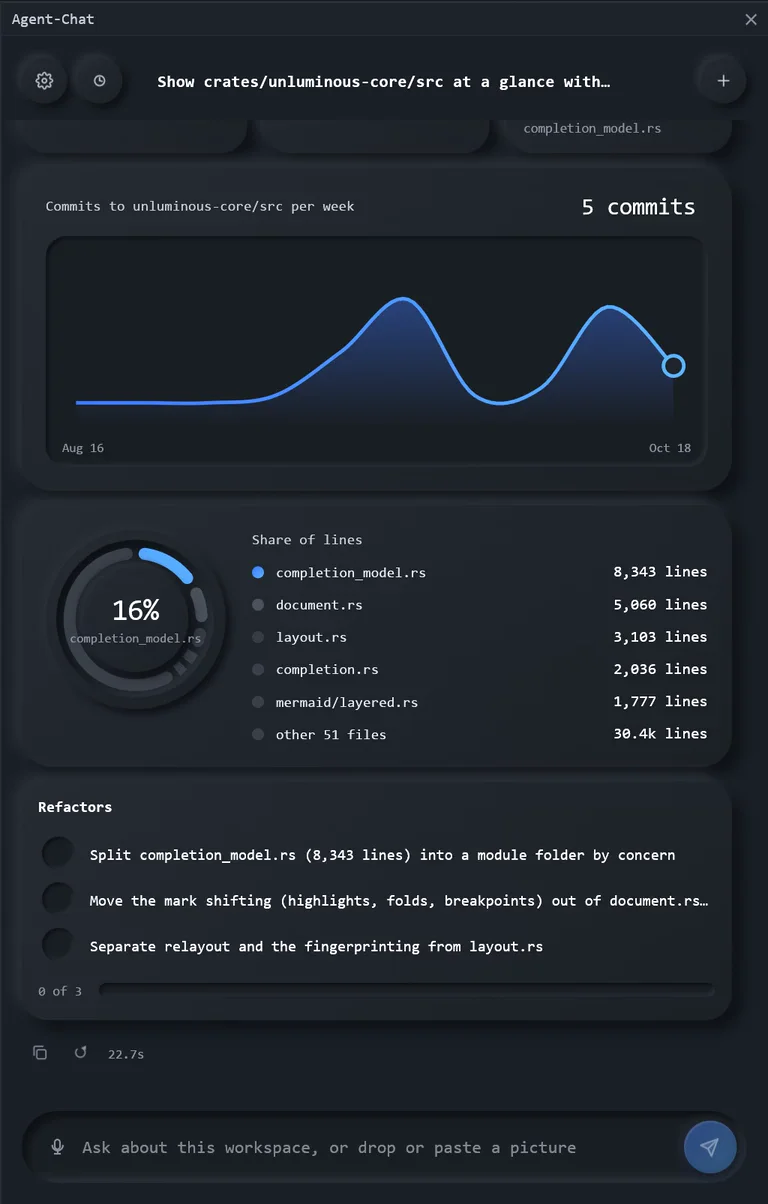
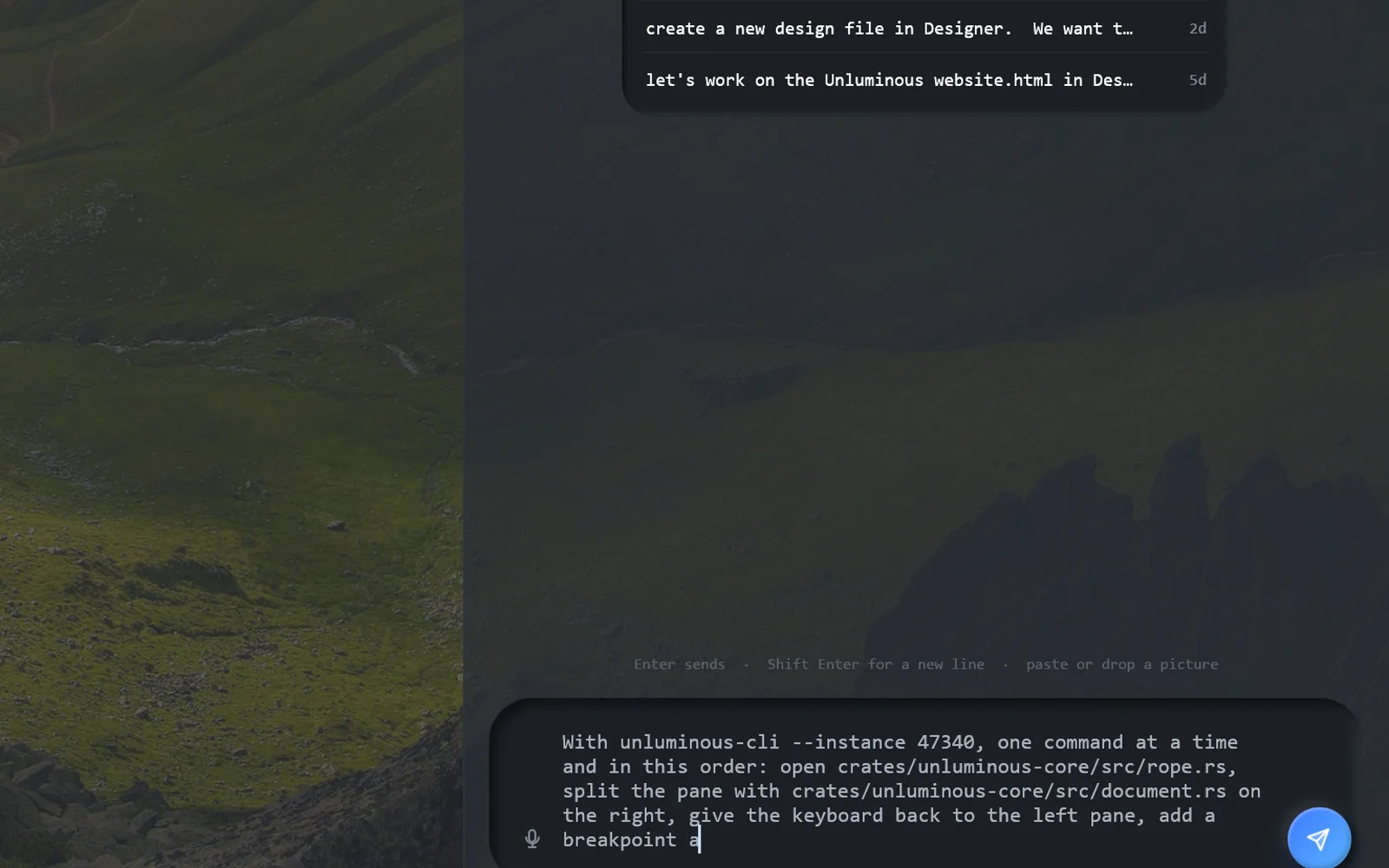
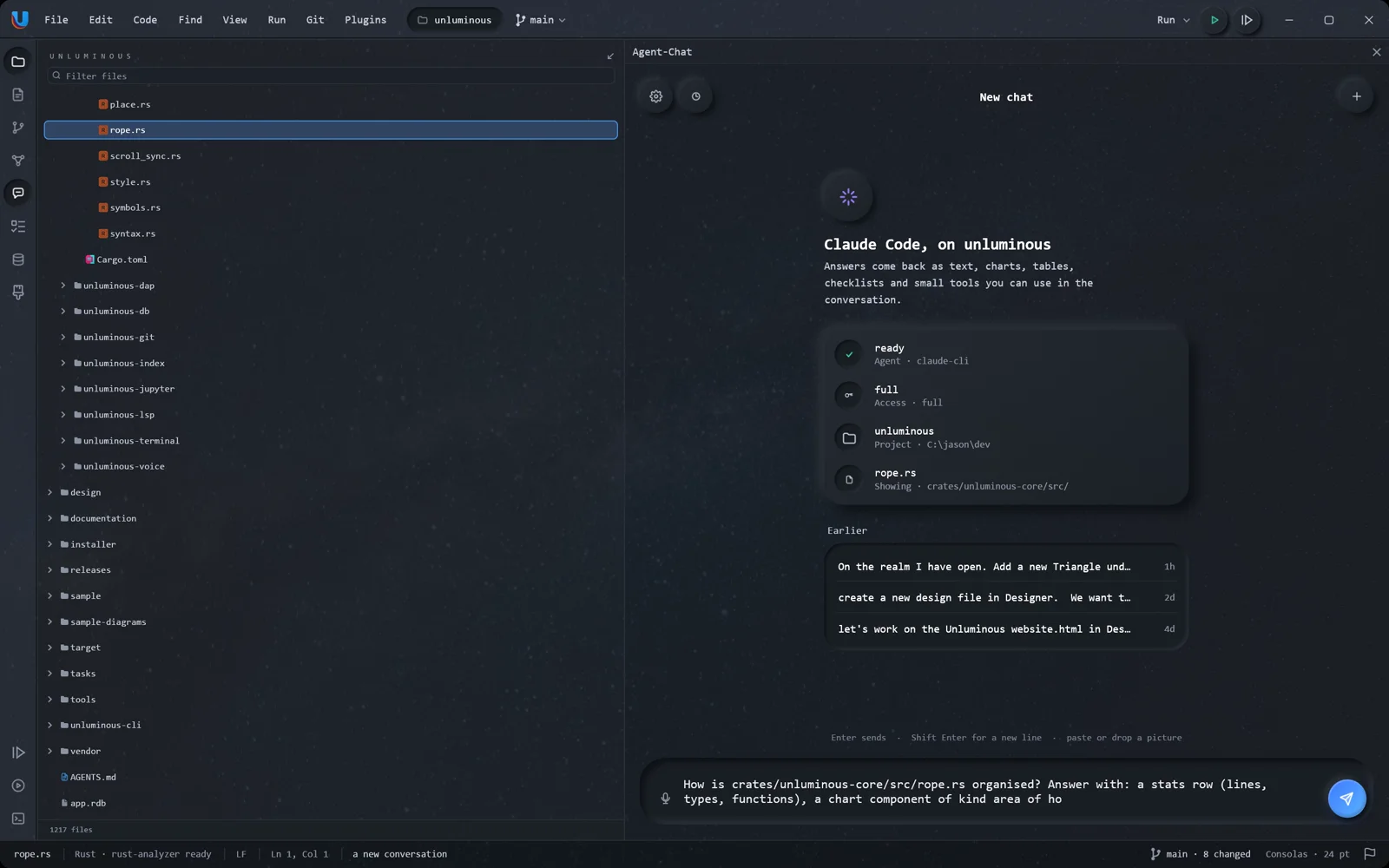
The Agent-Chat pane runs the claude or codex command line already installed on this machine, in the project this window has open. Unluminous holds no key for either — they bring their own tools, their own sandbox and their own account — and how much an agent may do is one setting with three values, chosen before the turn starts.

24% of tool calls still went to a generic file tool — open tickets, not a footnote

Reachable is not the same as reached

That machinery guarantees an agent can do everything. It does not guarantee an agent will. Watching a local 27B model drive a real window across 23 scenarios phrased the way a person speaks, it made 126 tool calls — and 30 of them, 24%, in 13 of the 23 scenarios, went to its own grep, bash, read and edit for jobs Unluminous has a first-class command for.

The rename is the one that shows why it matters. Unluminous’s editor rename is one undo step per file, leaves comments and strings alone unless asked, and knows which files are open. The agent’s replace-all was none of those things, and it silently rewrote a Mermaid diagram the real rename would have left alone. So the contract has a second half, and it is the harder one: a feature is finished when an agent does use it.

03Editor

Twelve things it does, photographed doing them

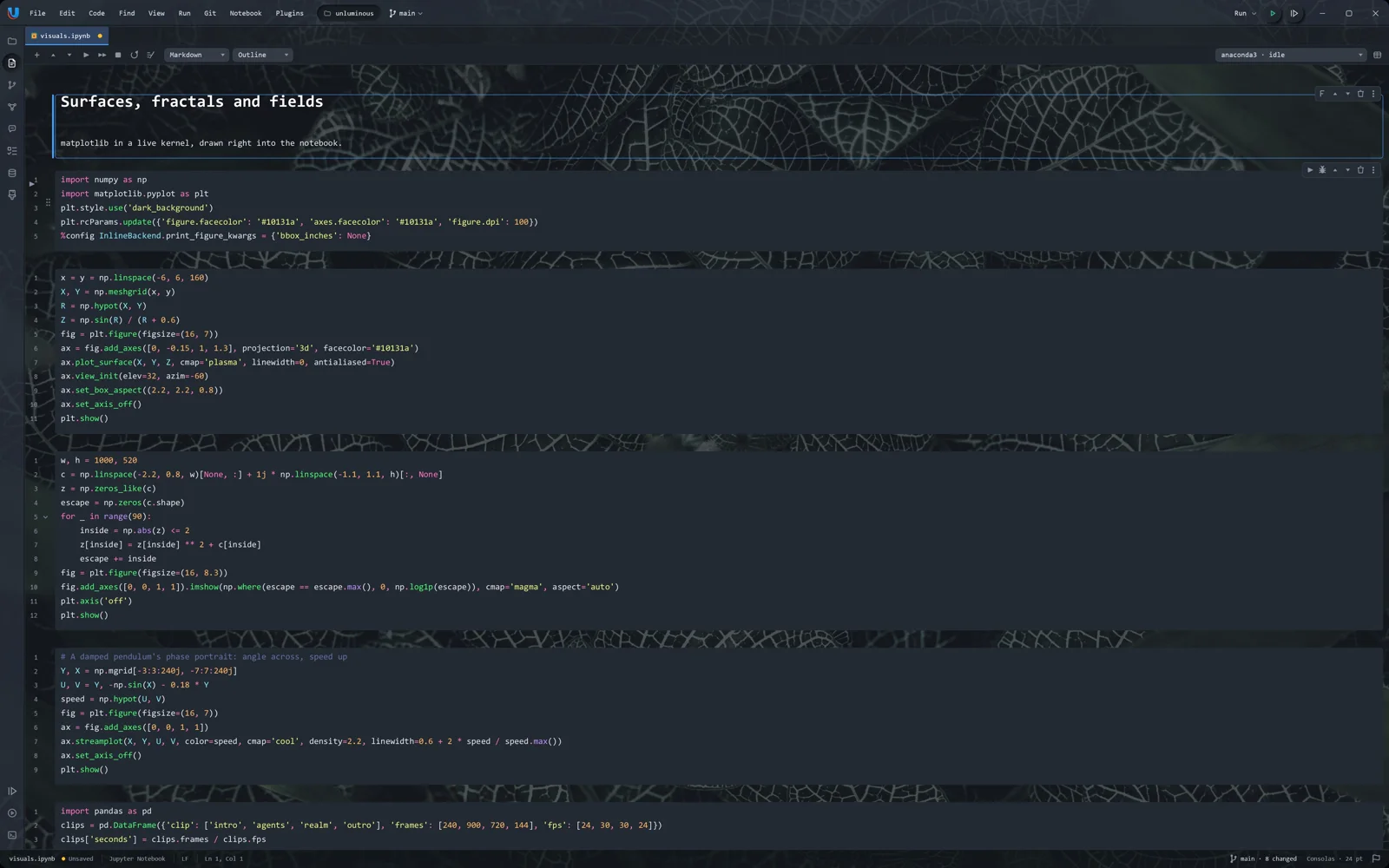
Every capture below is of the same 0.37.1 window, put into that state by a command rather than by a hand on a mouse — which is the point of the section above it as much as it is a way to take a screenshot.

Two panes, two files, one window — a capture of the running Unluminous window

Two panes, two files, one window

Split the editing area and each pane gets its own tabs, its own scroll position, its own view mode and its own gutter. Line numbers count paragraphs rather than screen rows, so a wrapped paragraph carries one number against its first row and nothing against its continuations — which is what a line number means everywhere else.

Folding — a capture of the running Unluminous window

Folding

Collapse one block, one block and everything inside it, or every block in the file. From the gutter, from the keyboard, or from unluminous-cli fold collapse --all.

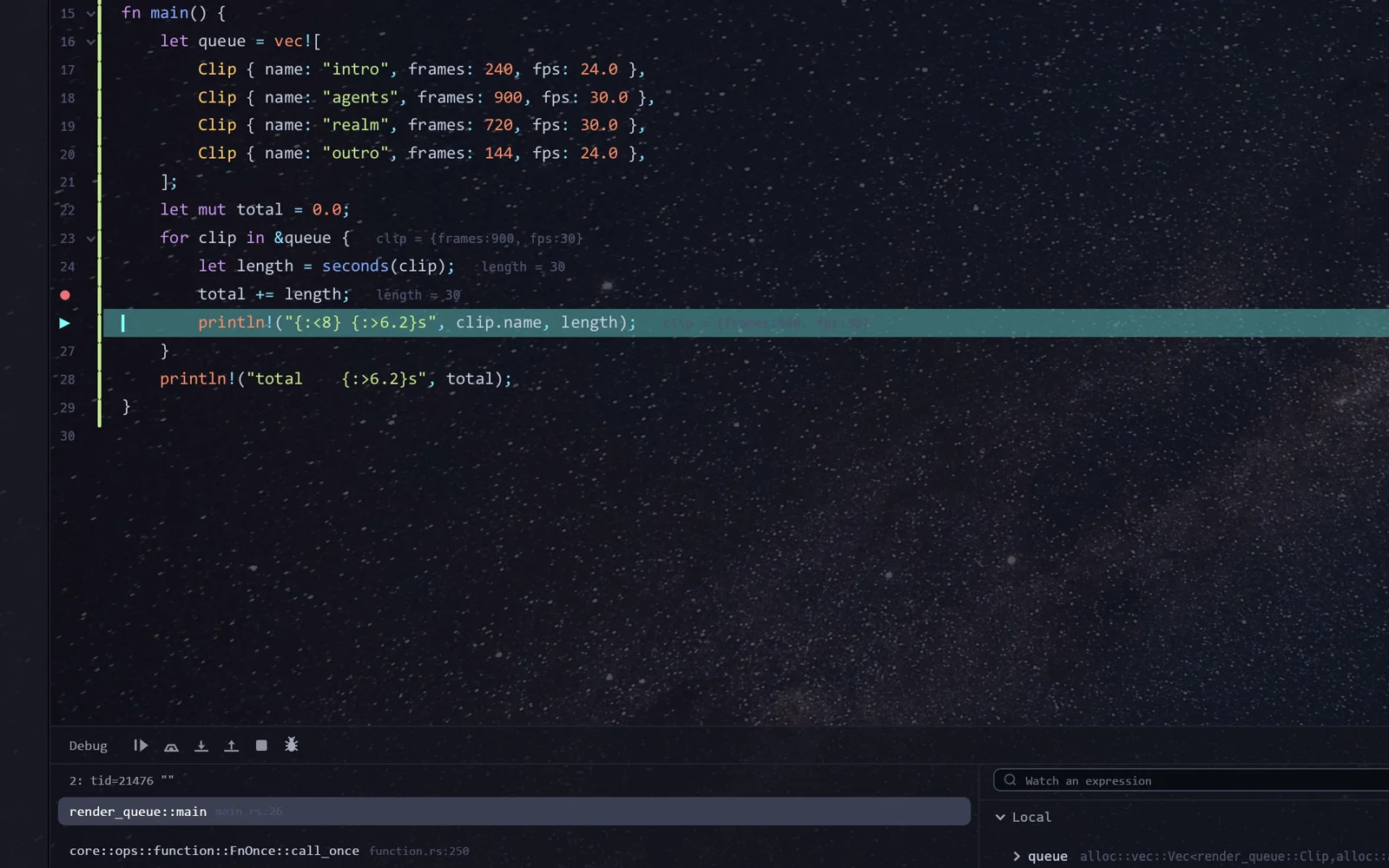
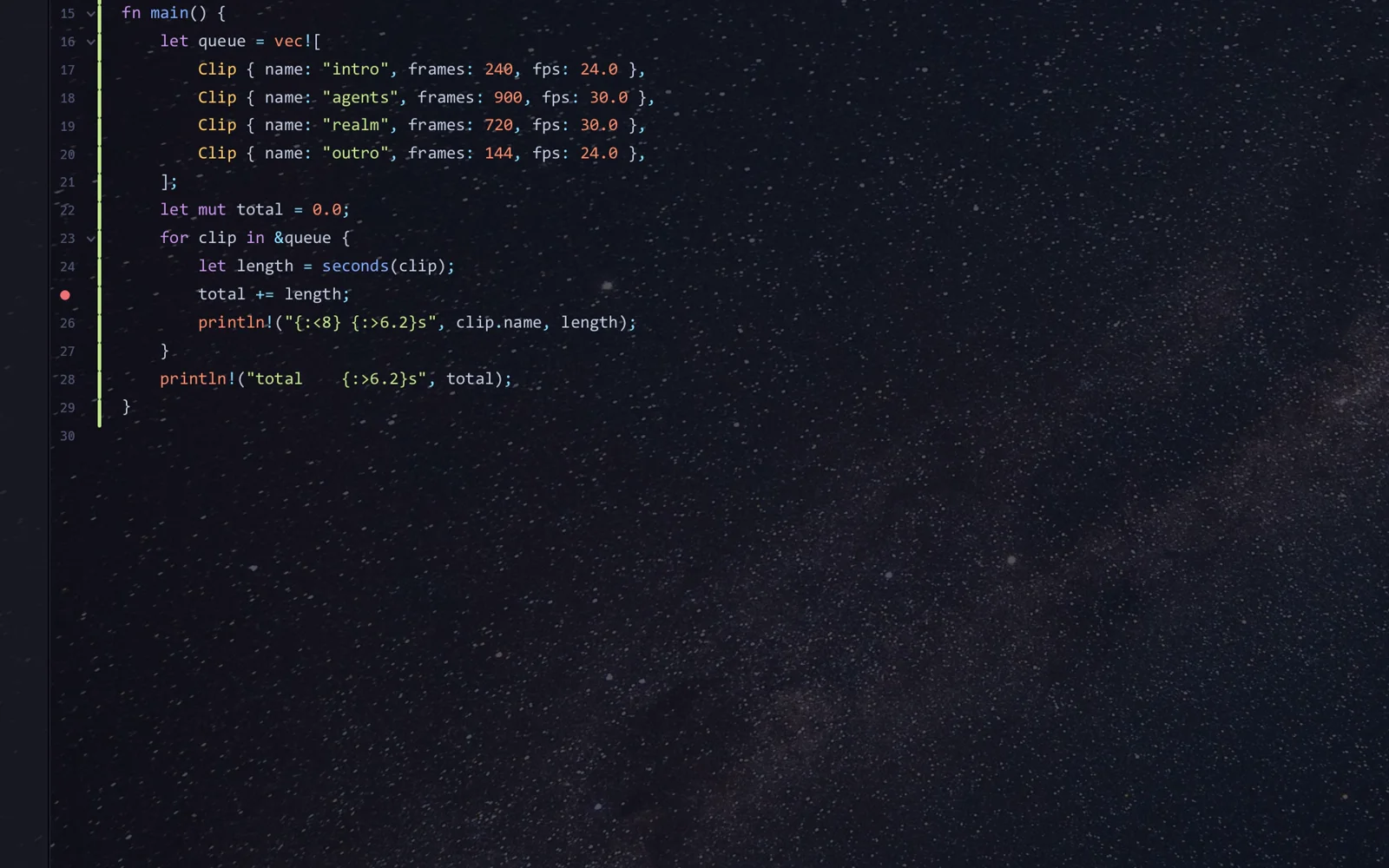
A debugger that speaks DAP — a capture of the running Unluminous window

A debugger that speaks DAP

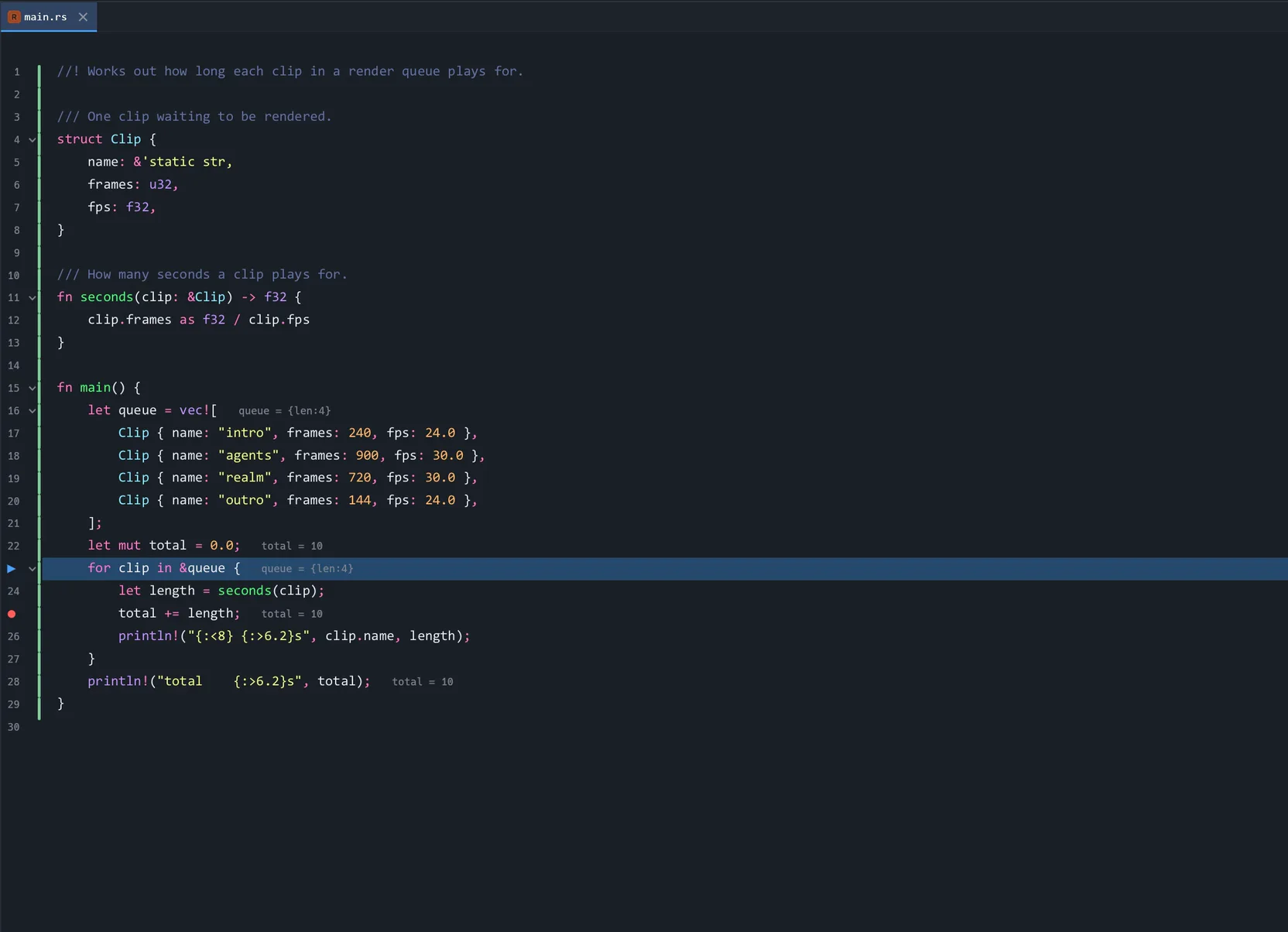
Click the gutter, press Shift+F9, and the program stops there with its call stack and its locals in the tile below — and each local painted at the end of the line that names it. One client, every language: lldb-dap or CodeLLDB for Rust and native code, Microsoft’s js-debug for JavaScript and TypeScript. Nothing is fetched: pressing Debug with no adapter installed is one sentence saying what was looked for.

Committing — a capture of the running Unluminous window

Committing

A changes tree with a tick box per file, the repository’s row carrying its branch, an Unversioned Files group, Amend, the counts, and the last twenty messages behind a button. Ticking a file stages it at once, so Unluminous’s idea of what is staged and git’s cannot disagree while the panel is open.

Blame, in the gutter — a capture of the running Unluminous window

Blame, in the gutter

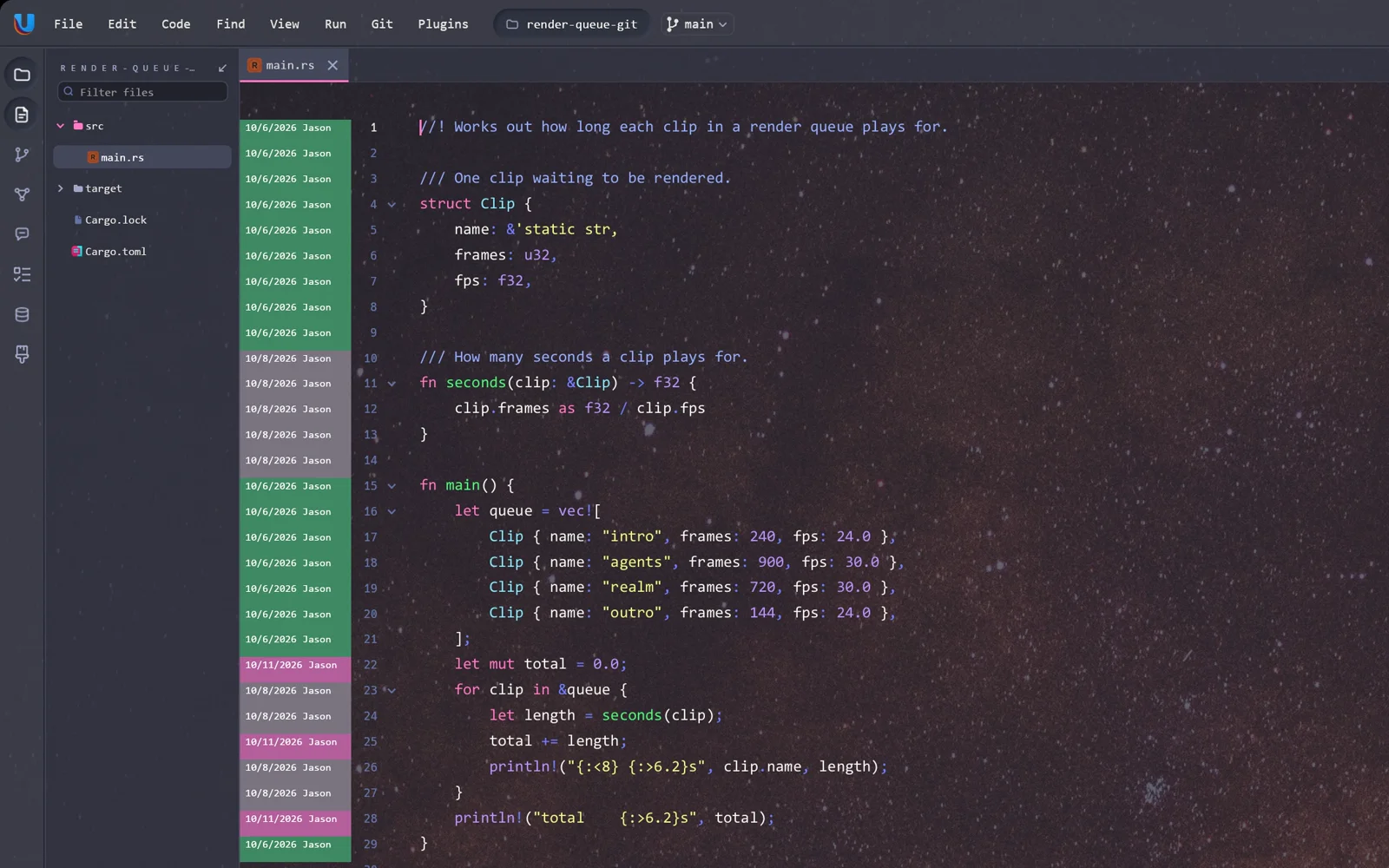
Right click the gutter and every line is annotated with the commit that last touched it. Git is also in three places you do not have to ask for: the branch and its distance from upstream in the status bar, each file in the explorer tinted by what git thinks of it, and a change bar against every line that differs from the version git has.

The whole Git menu — a capture of the running Unluminous window

The whole Git menu

Commit, diff, history, branches, stash, rebase, and twenty more. Unluminous runs the git program rather than a library, so a push from Unluminous is the push you get in your terminal: same credential helper, same ssh agent, same hooks, same signing. When something fails you get git’s own message, because a rejected push explains itself better than anything Unluminous could say about it.

A real terminal — a capture of the running Unluminous window

A real terminal

24-bit colour, bold, italic, underline, inverse, wide characters, the alternate screen a full-screen program draws on, mouse reporting, ten thousand lines of scrollback, and tabs named after the title the program set — so a tab running an agent says so.

Diagrams it draws itself — a capture of the running Unluminous window

Diagrams it draws itself

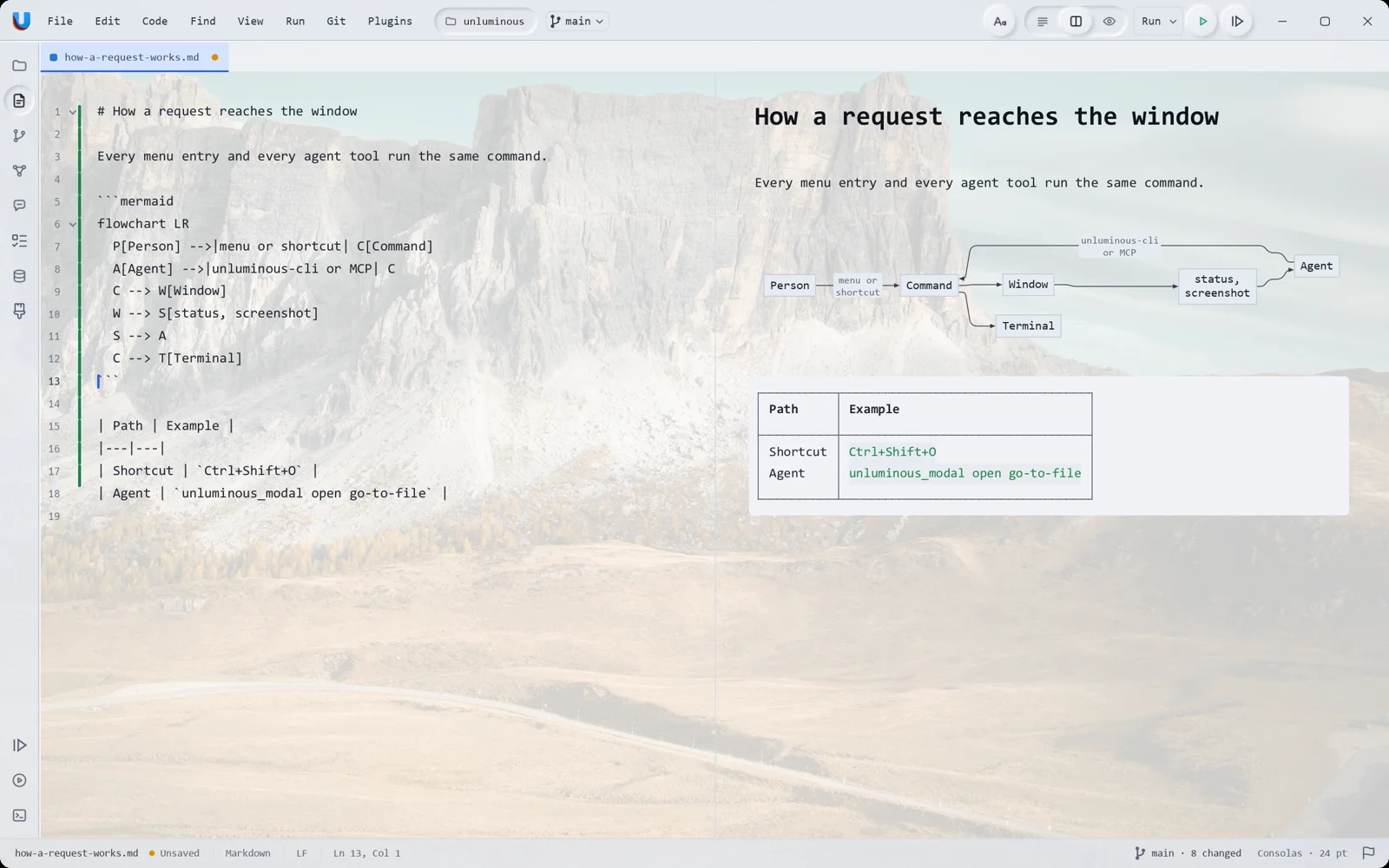
Twenty of Mermaid’s diagram types are drawn in Rust rather than by running mermaid.js, so nothing is fetched and nothing in a diagram is executed. A .mmd file gets the same three view modes a Markdown file has, and a fenced mermaid block inside Markdown is drawn in its preview.

Markdown, side by side — a capture of the running Unluminous window

Markdown, side by side

The preview is not a second renderer: it produces the same text, character spans and paragraph settings a document holds, so the ordinary layout and the ordinary painter draw it. Which is what lets scrolling cross between the halves through the text rather than through the height — a heading is one line of source and half again as tall on the page.

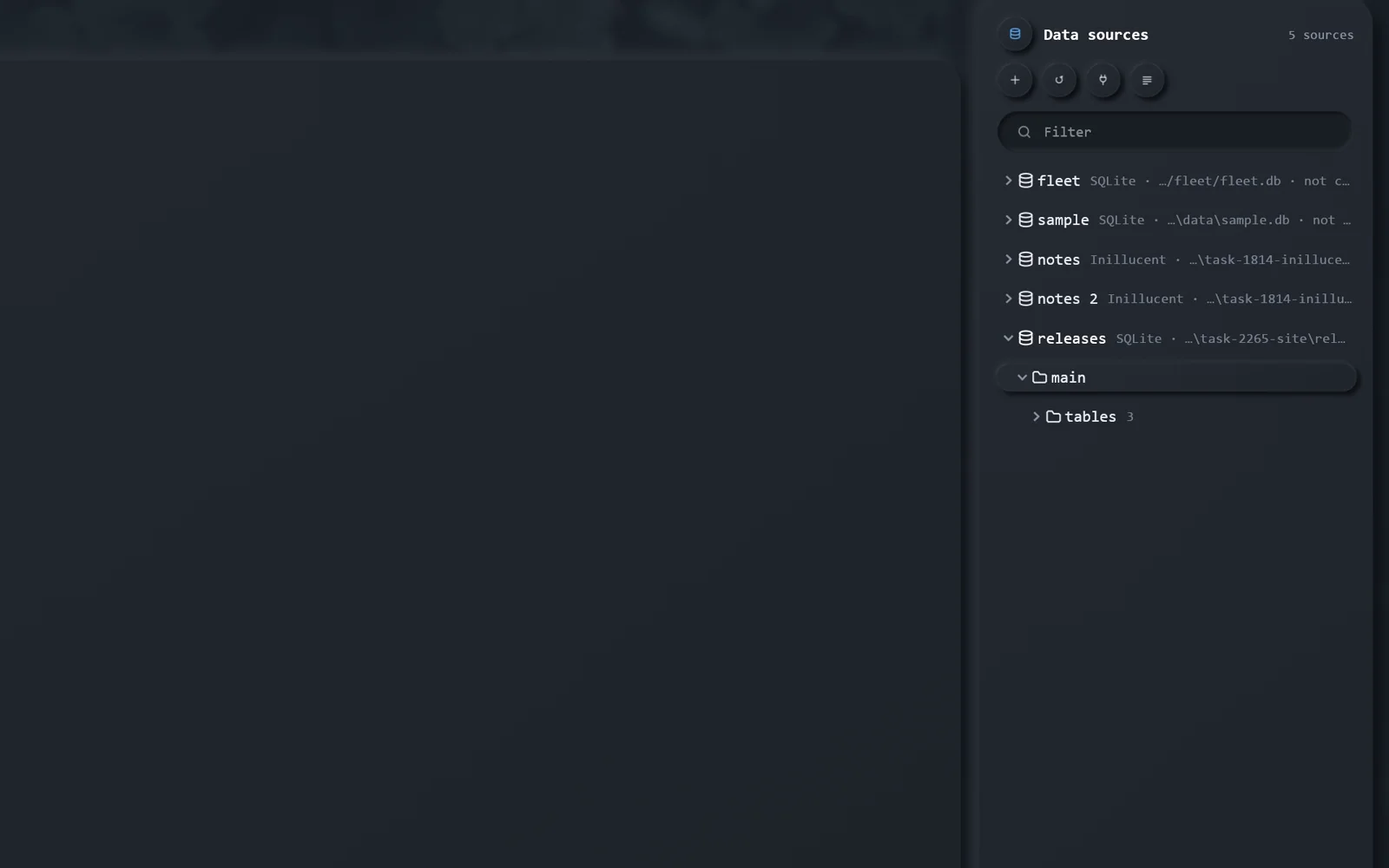
A database explorer — a capture of the running Unluminous window

A database explorer

A tree of sources, schemas, tables and columns; query consoles; and a row editor with a WHERE and an ORDER BY you type SQL into. Changes are pending until you read them as the statements they will become. PostgreSQL and SQLite, and a password is never written down — only the name of the credential-store entry holding it.

Finding things — a capture of the running Unluminous window

Finding things

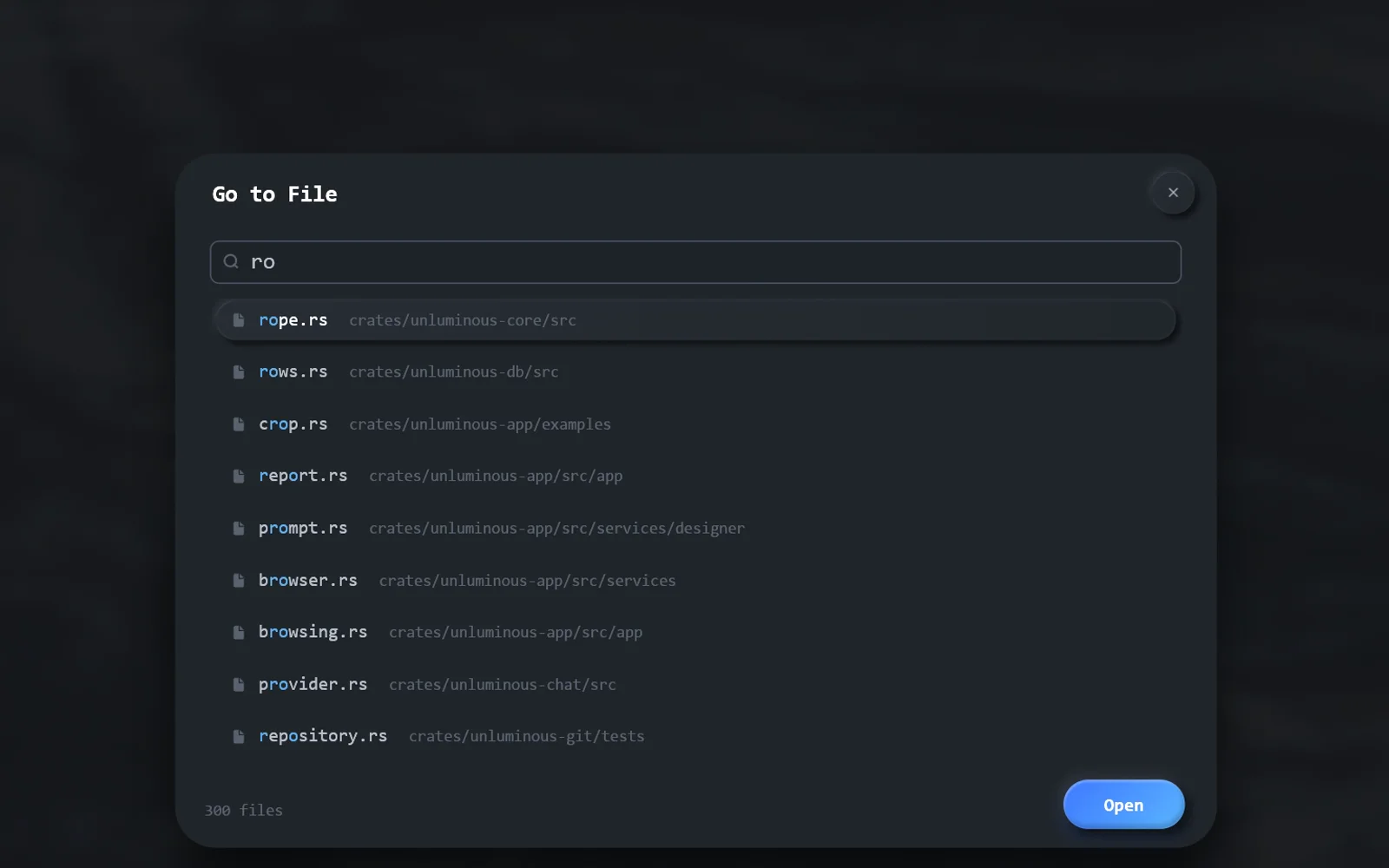
Find in Files searches every file’s text as you type, on a thread so the window never stops drawing, with the chosen file shown underneath the results. Go to File matches letters in order rather than as a substring, so mdrs finds markdown.rs.

Themes that repaint everything — a capture of the running Unluminous window

Themes that repaint everything

Five ship in Themes Bundle 1, and a theme that names the nine token colours also colours code, in every language at once. A colour scheme colours the tokens and not the editing area, so a coloured file still lets the desktop through.

04Cost

An idle window should cost nothing, and this one nearly does

Every number here was measured on one machine, seven runs, median, same project, same script — before and after the work on task-1805. Idle is measured over a settled 45 seconds with nobody touching the window.

Measured on one machine, seven runs, median
WhatBeforeAfterGain
Window on the screen1162 ms584 ms2.0×
Processor time while idle43.4 ms/s5.6 ms/s7.8×
One idle frame~24 ms0.65 ms37×
Control channel answering1240 ms834 ms1.5×
A CLI command with a stale instance file431 ms75 ms5.7×
One keystroke in a 380 KB file2.5 ms2.7 msunchanged

The four faults

  1. The explorer’s footer ran metadata over every file in the project, every frame, and opened and read any file whose extension it had not heard of — 917 syscalls twice a second at idle, about 55,000 a second while typing, to redraw one line of text that had not changed.
  2. A killed window cost 414 ms of the next one’s startup and 431 ms of every CLI command, because the check asked the port when the question was about the process.
  3. Plugins::grammars() deep-cloned every plugin’s word lists three times a frame — once per extension each plugin claims — to answer three yes/no questions.
  4. Starting the project’s shells kept the window off the screen: eframe hides a window until it has painted once, so all 179 ms of restoring the project was blank desktop.

Weighed and refused

Fat link-time optimisation and one codegen unit
29.9 MB of binary down to 26.8, and it moves nothing measurable — 738 ms of startup against 734, 2.498 ms a keystroke against 2.508 — for a build that goes from 52 seconds to 4 minutes 25, five times over.
Stripping symbols, and aborting on panic
Refused. The crash log needs a backtrace and a panic hook.
A longer heartbeat on the control channel
Refused. Half a second is a stated recovery guarantee, not a spare millisecond.

The memory is the graphics driver’s, and saying so is the finding

A separate probe runs the same steps eframe does, and can leave the graphics device out. The difference is where a running editor’s memory actually goes.

What is residentWorking setPrivate bytes
Fonts, plugins, and a walk of 917 files12.3 MB6.4 MB
The same, plus a DX12 device and one shader135.7 MB315.8 MB
The whole Unluminous window223 MB438 MB

The DX12 device alone is 123 MB of working set and 309 MB of private bytes — 55% and 70% of a running Unluminous, and none of it is ours to give back. For scale, Zed benchmarks at about 222 MB and VS Code at 1 to 3.5 GB. There is no memory work in this release, deliberately: the honest thing to do with a number nobody can move is measure it, write down where it goes, and leave it alone.

428 of the remaining 584 ms is eframe building a DX12 device before anything is drawn, and request_adapter alone is 362 ms of driver work. Everything Unluminous itself does before the graphics device is 1.5 ms, and everything after it is 55 ms.

05Demo

Four minutes of it, running

Recorded on one machine over a real desktop, at a background opacity that leaves the wallpaper visible through the editor, with a margin around the window so you can see what is behind it.

What it covers

  • 01Editing, folding and split panes
  • 02Git, from the status bar to a commit
  • 03The debugger: breakpoints, the call stack, values painted inline
  • 04Driving the same window from the command line, and from an agent
  • 05Themes, the database explorer, and Markdown and Mermaid preview

It is being re-shot against this build. The take that exists was recorded under the product’s previous name, and the name is in the footage rather than in the filename — the title card, the window’s own menu bar and the terminal transcript on screen all carry it — so no edit reaches it. Rather than open with a video naming a different product, this section waits. Everything above it is the same window, in the same build, photographed doing the thing described.

06Install

Install it

One installer on Windows, an app and a disk image on macOS, both built from the same drawn icon.

Windows

UnluminousSetup-0.37.1-x64.exe10.4 MB

or build it yourself

powershell -File installer\windows\build.ps1 -Install

macOS

an app and a disk image, from the same drawn icon

installer/macos/build.sh --install

Then drive it

unluminous-cli launch .
unluminous-cli tab open README.md
unluminous-cli terminal send cargo test
unluminous-cli terminal read --wait-for "test result"
unluminous-cli window screenshot shot.png

and give it to an agent with Settings → Tools → MCP → Install for Claude Code

Settings → Tools → MCP — a capture of the running Unluminous window

Settings → Tools → MCP

One button writes Unluminous into Claude Code's or Codex's own configuration, with the block to paste into anything else beside it. It needs no open port, and the port is off until you turn it on.